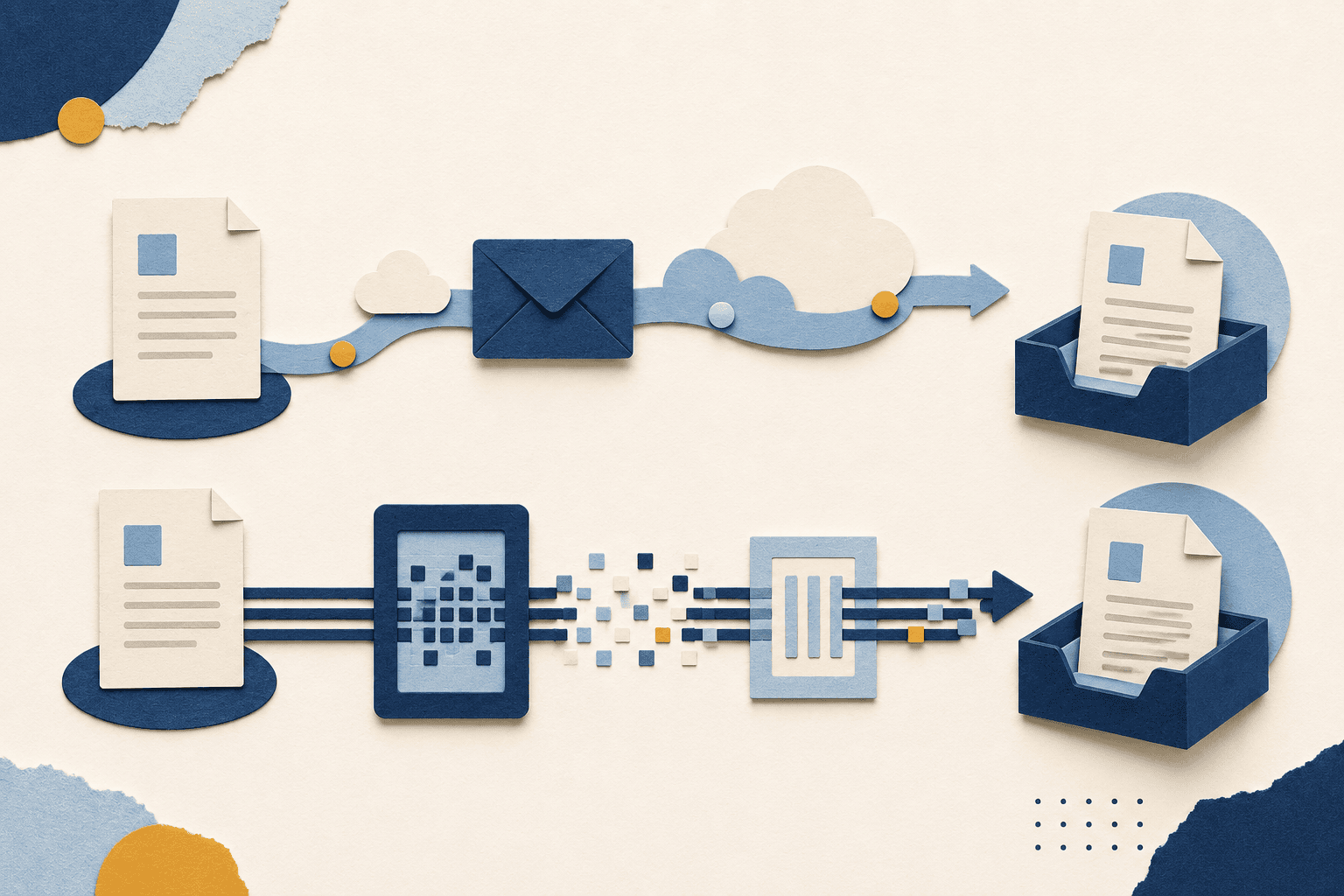

Quick answer: For sensitive, regulated documents, fax is generally the more secure choice. It travels point-to-point over the phone network instead of through a chain of internet mail servers, carries a native audit trail and delivery confirmation, and is far easier to make HIPAA-, GDPR-, and GLBA-compliant. Email wins on convenience for everyday, non-sensitive messages. The rule of thumb: use email for routine communication, and use fax (ideally online fax) for anything regulated, legally binding, or requiring proof of delivery.
Businesses, governments, banking institutions — a lot of people need to be careful with their (and other people’s) data. Email is convenient, and it totally revolutionized how we communicate, but it’s not always secure. We’re constantly hearing about hacking, phishing scams, data breaches, and a host of other problems. For the important stuff, fax is often the better call.
This page is the head-to-head comparison: when should you actually use fax versus email? We’ll cover where each method is genuinely the right choice, the specific vulnerabilities email has that fax doesn’t (and vice versa), a side-by-side feature table, a compliance matrix mapping HIPAA / GDPR / SOX / GLBA to each method, and a clear decision framework at the end. If you’d rather go deeper on the technical mechanisms behind fax security itself — encryption protocols, audit trails, certifications — our online fax security explainer covers that.
So, is fax safer than email? It depends on what you’re sending. Below, we’ll walk through it.
Compliance: Which Method Keeps You Legal?
Before getting into the technical weeds, the practical question for most readers is: which method actually satisfies the regulations my industry is subject to? This is where the fax vs email decision is most clear-cut, because compliance frameworks tend to spell out what’s acceptable in pretty specific terms.
For healthcare in the U.S., HIPAA’s Security Rule governs how electronic protected health information (ePHI) can be transmitted. Standard email is generally not HIPAA-compliant out of the box; encrypted email or compliant fax both can be, with the right safeguards in place. Most covered entities default to fax for sensitive transmissions because it’s easier to demonstrate compliance with a fax workflow than with an email one.
For European data, GDPR doesn’t prescribe a specific transmission method, but its Article 32 requires “appropriate technical and organisational measures” — the kind of language that maps cleanly to encrypted fax with audit trails, and less cleanly to standard email. UK GDPR works the same way post-Brexit.
For financial services, SOX governs internal controls and audit trails for public companies, and GLBA governs how financial institutions handle nonpublic personal information. Both reward audit trails and tamper-evident records — both of which fax has natively and email mostly doesn’t.
Below is a side-by-side compliance matrix mapping the major frameworks to each method’s typical compliance posture.
| Framework | Standard email | Encrypted email | Compliant online fax |
|---|---|---|---|
| HIPAA (US healthcare) | Not compliant without BAA + safeguards; patient consent waiver allowed for unencrypted | Compliant with BAA, encryption, audit logs, BAAs from subprocessors | Compliant with BAA from provider, default encryption, audit trail built-in |
| GDPR (EU personal data) | Likely insufficient for special category data without additional measures | Compliant if encryption, access controls, and DPA are in place | Compliant with provider DPA, default encryption, retention controls |
| SOX (US public co. internal controls) | Adequate for general comms; struggles on tamper-evidence and audit trail | Stronger; still relies on provider audit logs | Strong native audit trail and delivery confirmation suit SOX 404 requirements |
| GLBA (US financial) | Generally insufficient for nonpublic personal info without extra controls | Acceptable with encryption and access controls | Acceptable with provider safeguards; structurally favored by the Safeguards Rule |
| UK GDPR | Same as EU GDPR — likely insufficient for special category data alone | Compliant with appropriate measures | Compliant with provider DPA |
The pattern across all five frameworks: standard email is the weakest option, encrypted email and compliant fax both work with proper safeguards, and fax has a structural advantage on audit trails that some frameworks (especially SOX and GLBA) directly reward.
Understanding How Email Works and Its Security Weaknesses
We’re not going to pretend email isn’t great. It’s quick, easy, and reliably preserves info for later retrieval — which is what matters most of the time. The Simple Mail Transfer Protocol (SMTP) sends messages across many networks, and many of those messages live in the cloud once they hit your inbox. That convenience is exactly what makes email vulnerable.
Specifically, email’s structural problem is that a single message touches many systems on its way from sender to recipient — your outbound mail server, intermediate relays, the recipient’s inbound mail server, spam filters, archive systems. Each hop is a potential interception point. Each server stores at least metadata, and many store the message body itself. A breach of any one of those servers exposes the message. Fax doesn’t have this problem because there’s no equivalent server chain.
Common Email Security Threats
- Phishing attacks — Cybercriminals trick users into clicking malicious links or providing sensitive information. Experts have warned of a rise in sophisticated email phishing scams targeting Gmail and Outlook users. A 2024 cyberattack on Australian banks used phishing emails to distribute malware and harvested a substantial number of login credentials. Fax has no equivalent attack vector — without a clickable link or executable attachment in the recipient’s hands, phishing collapses.
- Email spoofing — Attackers forge sender addresses to impersonate trusted sources (Amazon, your bank, your boss) and steal login credentials or sensitive info. Spoofing a fax number is technically possible but operationally much harder, and recipients can verify a fax number against a published directory in a way email recipients can’t reliably do for sender addresses.
- Man-in-the-middle attacks — Hackers intercept unencrypted emails in transmission. Even encrypted email isn’t immune if a single hop in the SMTP chain falls back to a non-TLS connection. Fax over PSTN doesn’t have this exposure — the connection is point-to-point with no intermediate servers to compromise.
- Data leaks and breaches — Email servers store vast amounts of sensitive data, making them attractive targets. In 2023, Russian hackers breached Hewlett Packard Enterprise’s Office 365 system. The biggest data breaches in history almost always involve email systems; fax systems rarely appear in those headlines because there’s far less to steal in one place.
Each of these threat categories has a structural reason fax doesn’t share it — not because fax is magically secure, but because fax’s architecture eliminates the conditions that make these attacks effective.
Email Best Practices and Where They Still Fall Short
To be fair to email, there are real things you can do to harden it. The “just encrypt your email” objection is worth taking seriously, so let’s walk through what email’s security best practices actually look like — and where they hit a ceiling that fax doesn’t.
- S/MIME and PGP encryption — End-to-end encryption protocols where sender and recipient exchange public keys, then encrypt and sign messages cryptographically. Strong, but require both parties to use compatible tooling and manage keys correctly. In practice, S/MIME and PGP are used by less than 1% of email users, and rolling them out across an organization (let alone to external recipients) is consistently difficult.
- TLS for SMTP transport — Forces email connections between mail servers to use encryption in transit. Modern mainstream providers do this by default, but it only works if every hop in the chain enforces it. A single server that falls back to plain SMTP exposes the message at that hop.
- Encrypted email services (ProtonMail, Tutanota, etc.) — Closed ecosystems where messages between users of the same service are end-to-end encrypted automatically. Strong inside the system, but the moment you email someone outside the service, you’re back to standard SMTP. For business communications with arbitrary recipients, this isn’t a complete solution.
- DLP (Data Loss Prevention) and email filtering — Enterprise-grade tooling that scans outbound email for sensitive content (SSNs, credit card numbers, PHI patterns) and blocks or encrypts accordingly. Useful for accidental leaks, less useful for malicious or sophisticated exfiltration.
Where these all hit a ceiling: they don’t change email’s underlying audit-trail problem. Even with perfect encryption, the question “did this message arrive, when, and to whom” is hard to answer authoritatively from email logs alone. Read receipts can be declined. Headers can be edited at any server in the chain. SMTP doesn’t include native delivery confirmation — only convenience features.
For everyday business communication, encrypted email is fine. For regulated industries that need to prove delivery to a regulator, an opposing counsel, or an auditor years later, that audit-trail gap is exactly why fax keeps winning the head-to-head despite being older technology.
How Traditional Fax Works (and Why It’s Secure by Contrast)
Old-school fax is still one of the most secure ways to send sensitive information, and the reason maps directly to the SMTP weaknesses listed above. Where SMTP routes a message through a server chain, fax goes point-to-point. Where SMTP messages stay in inboxes indefinitely, traditional faxes don’t store data at the receiving end. Where SMTP attacks exploit interactive payloads in the recipient’s mail client, fax delivers a flat document with no executable surface.
Mechanically: a fax machine scans a document, converts it into electronic signals, and sends those signals over the Public Switched Telephone Network (PSTN) to another machine. The PSTN creates a dedicated point-to-point connection. Crucially, it isn’t internet-based — there’s no bouncing through a chain of servers, no intermediate cache for an attacker to compromise.
This means malware and phishing aren’t applicable in the same way. Most fax machines don’t even store the data they receive. The old wisdom was “don’t leave a paper trail” — now you’re better off not leaving an electronic one. Faxing is generally the preferred transmission method for HIPAA, and (with appropriate safeguards) it satisfies GDPR’s Article 32 requirements as well.
An Important Caveat (and Email’s Equivalent)
To be honest about where fax has weaknesses too: the physical fax machine is a point of failure. If a machine sits in an open office, unauthorized people could grab documents when they arrive. HIPAA and GDPR both account for this with physical-safeguard requirements, and best practice is to put fax machines in secured areas.
Email has its own equivalent of this physical-access problem — laptops and phones in coffee shops, devices lost or stolen with synced inbox caches, screens visible to bystanders. The risk surfaces are different (server-side and remote for email; local and physical for fax), but neither method is invulnerable to access-control failures. Online fax services largely solve the physical fax problem by replacing the machine with an authenticated app or web account; we’ll cover that next.
How Online Fax Closes the Gap with Email’s Convenience
The dig at fax-and-beepers in older articles isn’t fair anymore. Modern online faxing closes the convenience gap that traditionally made email the easier choice. You don’t need a physical machine, a phone line, or even a desk to send a fax — modern services run as desktop apps, mobile apps, or browser interfaces.
What online fax keeps from traditional fax: the PSTN handoff at the network edge (so messages still travel point-to-point during the actual fax leg), the audit trail and delivery confirmation built into the protocol, the lack of phishing-friendly interactive payload at the recipient endpoint, and the regulatory standing under HIPAA and similar frameworks.
What online fax adds on top of traditional fax: encrypted cloud storage so faxes are accessible from any device, granular access controls so multiple authorized users can share an account, mobile workflows so you can fax from a phone, and integration with cloud document storage and e-signature tools.
What Online Fax Offers That Email Can’t Match
Compared specifically to standard email, a HIPAA-compliant online fax service like Municorn Fax brings:
- End-to-end encryption by default — AES-256 at rest, TLS 1.2+ in transit, no opt-in or recipient-side configuration required. Compare that to S/MIME or PGP for email, which require both sender and recipient to set up matching tooling.
- Native audit trail and delivery confirmation — Every transmission generates a verifiable record (sending number, receiving number, timestamps, page count, success/failure status). Standard email has nothing equivalent; even encrypted email relies on read receipts that can be declined or spoofed.
- HIPAA compliance with a signed BAA — Municorn Fax holds a HIPAA compliance certificate. Most consumer email providers don’t offer Business Associate Agreements at all, and even Microsoft 365 and Google Workspace require specific enterprise tiers with explicit BAA terms before they qualify.
- Tamper-evident transmission — Faxed documents are difficult to modify mid-transmission without leaving evidence. Email message bodies and headers are routinely modifiable by anyone in control of the relevant servers.
- Recognized for legally binding signatures — Faxed signatures are accepted by law in document categories where pure e-signatures aren’t (wills, trusts, family law, eviction notices, medical power of attorney in many states). Email-only e-signature workflows hit walls on these documents.
For the technical detail behind each of these — exact encryption specs, audit-trail mechanics, certifications to look for — see our online fax security explainer.
The Key Differences Between Fax and Email Security
Here’s the head-to-head comparison across the dimensions that matter most for the fax-vs-email decision.
Fax vs. Email: Side-by-Side
| Dimension | Fax (online or traditional) | |
|---|---|---|
| Data transmission | Routes through multiple SMTP servers — interception risk at every hop | Point-to-point over PSTN — no intermediate servers |
| Phishing exposure | High — clickable links and executable attachments are the dominant attack vector | Negligible — no interactive payload at the recipient endpoint |
| Spoofing risk | High — sender addresses are trivially forged | Low — fax numbers are verifiable against published directories |
| Encryption (default) | Inconsistent — depends on every hop supporting TLS | Built-in TLS for online fax; AES-256 at rest with compliant providers |
| Audit trail | Limited — read receipts are spoofable, headers are editable | Native — built into the fax protocol, admissible as business records |
| Delivery confirmation | Convenience-feature only, no authoritative record | Mandatory — fax protocol includes delivery confirmation by design |
| Tamper evidence | Low — message bodies and headers can be altered without trace | High — modifications leave evidence in the transmission record |
| Storage risks | Indefinite inbox retention; backups; archive systems; subprocessors | Provider-controlled retention with documented policies; physical access for paper output |
| HIPAA compliance | Requires BAA, encryption, careful configuration; many providers don’t offer BAAs | Compliant providers offer BAAs as standard, with all safeguards built in |
| Legally binding signatures | E-signatures accepted for most documents but excluded for wills, trusts, family law, etc. | Faxed signatures accepted across all document categories |
| Recipient access control | Anyone with inbox access can read | Authenticated app/account access; physical lockbox for paper output |
| Attack surface | Internet-reachable, server-rich, well-mapped by attackers | PSTN-bound, server-poor, structurally hard to attack at scale |
The table makes the pattern clear: fax wins on every security dimension that involves auditability, regulatory compliance, or structural attack-surface reduction. Email wins on convenience, ubiquity, and ease of routing across the open internet — none of which are security advantages.
When Email Is the Right Choice
An honest comparison page has to admit where email actually wins. Email is the right tool for plenty of communications, and reaching for fax in those cases would be a misuse of effort:
- Internal communications about non-sensitive matters — meeting scheduling, project updates, casual coordination. The compliance burden of fax doesn’t pay back for the convenience of email.
- Marketing and public-facing communications — newsletters, customer outreach, transactional emails. These are designed to be clicked and forwarded, which is exactly what fax is bad at.
- Asynchronous communication with rich formatting — emails with embedded images, threaded conversations, multiple recipients with reply-all dynamics. Fax is bad at all of this by design.
- Quick notifications and FYI messages — anything that doesn’t carry sensitive data or need a delivery receipt. Email’s convenience is a real feature when there’s no security gap to plug.
- External communications with recipients who don’t have fax access — particularly for newer organizations or individuals who’d find a fax number unusual to receive. Sometimes the right tool is the one your recipient can actually use.
The point of this comparison isn’t that email is bad. It’s that email is bad for specific use cases — namely, transmitting regulated data, sending documents that need verifiable delivery, and signing legally binding agreements. For the everyday majority of business communication, email is fine. For the high-stakes minority, fax is the safer call.
When Fax Is the Right Choice: Industry Use Cases
Three industries default to fax for sensitive transmissions, and the reasons map directly to the structural differences above.
Healthcare
Why email fails: Standard email transmissions of PHI generally aren’t HIPAA-compliant without specific BAAs and configurations that most consumer-grade email doesn’t offer. The patient consent waiver that lets covered entities use unencrypted email shifts the legal risk to the patient — a workaround that healthcare counsel routinely advises against for sensitive content.
Why fax wins: Compliant fax providers sign BAAs as standard, encryption is built in, and the audit trail satisfies HIPAA documentation requirements without extra tooling. Hospitals, clinics, and insurance carriers default to fax for prescriptions, referrals, and records release because the compliance posture is unambiguous.
Legal
Why email fails: Privileged client communications need stronger access controls than email’s “anyone with inbox access” model. Email is also weak on tamper evidence — opposing counsel can challenge the integrity of an emailed document in ways they can’t challenge a faxed one.
Why fax wins: Faxed documents are admissible under the business records exception with relatively clean evidentiary status. Audit trails are court-admissible. Faxed signatures are accepted in document categories where pure e-signatures aren’t (wills, trusts, eviction notices, family law). Law firms use email for routine client updates and fax for the documents that actually need to hold up in front of a judge.
Financial Services
Why email fails: GLBA’s Safeguards Rule requires financial institutions to protect nonpublic personal information with administrative, technical, and physical safeguards. Standard email’s interception risk and limited audit trail make GLBA compliance harder to demonstrate than fax compliance does. SOX 404 internal controls also reward verifiable delivery in ways email struggles with.
Why fax wins: Banks and other financial institutions use fax for time-sensitive trade confirmations, loan documents, and customer communications because the audit trail and delivery confirmation are court- and regulator-defensible without extra effort.
Common Myths About Fax Security (and the Reality)
Three myths come up consistently in the fax-vs-email debate. Each is worth addressing head-on, because they’re the objections that keep teams stuck on email even when fax would serve them better.
- Myth: “Fax is obsolete — only old industries still use it.”
Reality: Fax volumes are dropping in casual use but holding steady in regulated industries. Healthcare, legal, financial services, and government all continue to default to fax for sensitive communications, not out of habit but because the alternatives (encrypted email, secure messaging apps, e-signature platforms) each fail one of the specific tests fax passes — usually audit trail or BAA availability. Modern online fax apps integrate with email, mobile, and cloud storage, making the convenience argument increasingly thin.
- Myth: “Email encryption makes email just as secure as fax.”
Reality: Encryption helps with the in-transit and at-rest threats, but it doesn’t address email’s audit-trail problem (no native delivery confirmation), its phishing vulnerability (clickable payloads in the recipient’s inbox), or its server-chain interception surface (every hop is still a potential breach point even if the message is encrypted at each step). Strong encryption on a weak protocol still leaves a weaker overall posture than a properly configured fax workflow.
- Myth: “Fax machines are vulnerable to hacking — there have been published exploits.”
Reality: The “fax exploits” that made headlines a few years ago required attackers to either physically access the phone line or compromise networked multi-function printers — not classic standalone fax machines, and not online fax services. Online fax services use the PSTN handoff at the network edge, so they don’t share the surface area of a vulnerable office multi-function device. The real-world rate of fax security incidents remains a tiny fraction of email security incidents because the fundamental architecture is structurally less exploitable.
None of this makes fax invulnerable — no transmission method is. But the security trade-offs lean clearly toward fax for the use cases where security actually matters most.
The Verdict: When to Use Fax, When to Use Email
The fax-vs-email decision isn’t an either/or. Most organizations use both, and the right call depends on what you’re sending. Here’s the decision framework that emerges from the comparison above.
Use email when: the content isn’t sensitive, you don’t need a verifiable delivery record, the recipient doesn’t have fax access, or the message benefits from rich formatting, threading, or multiple recipients. Standard email is fine for the everyday majority of business communication.
Use fax (especially online fax) when:
- You’re transmitting protected health information, nonpublic personal financial data, or privileged legal communications
- You need verifiable proof of delivery for regulatory, legal, or audit purposes
- You’re signing or transmitting documents where e-signatures aren’t legally accepted (wills, trusts, eviction notices, family law)
- The recipient explicitly asks for fax (which is itself a strong signal that they have a regulatory or process reason)
- The content is a target for phishing or interception attacks (financial credentials, credentials in general, sensitive contracts)
For organizations that fall into the second category — healthcare, legal, finance, anyone handling regulated data — modern online fax tools close the convenience gap that historically made email tempting. You get fax-grade security and audit trails without losing the desktop-and-mobile workflows email accustomed everyone to.
If you’re ready to start with a HIPAA-compliant online fax service, our HIPAA compliant fax service rankings compare the major options head-to-head. For the deeper technical explainer of how online fax security actually works under the hood — encryption protocols, audit-trail mechanics, certifications to verify — see our online fax security guide.
Frequently Asked Questions
Is fax more secure than email?
Is email HIPAA compliant?
Is encrypted email as secure as fax?
What is the difference between fax and email?
When should you use fax instead of email?
More on Secure Faxing
Is online fax secure?
The technical deep-dive: encryption, audit trails, and certifications.
HIPAA-compliant faxing
How faxing meets HIPAA, and what to check in a provider.
Send a fax from email
Turn your inbox into a fax machine with EveryFax email-to-fax.
Best online fax services
Our head-to-head ranking of the top providers.