
Table of Contents
- How Secure is Faxing
- How Online Fax Security Differs from Traditional Fax Security
- Practical Security: How Online Fax Protects Documents Technically
- Unauthorized Access
- Legal Security
- Audit Trails and Delivery Confirmation
- Online Faxing and Electronic Signatures
- Security Certifications: What to Look For
- The Bottom Line on Online Fax Security
- Frequently Asked Questions
Quick answer: Yes — online fax is secure, and in most respects more secure than email. It rests on two foundations: strong technical protection (AES-256 encryption at rest, TLS 1.2+ in transit, a point-to-point PSTN handoff, and no clickable payload for phishing) and strong legal protection (HIPAA’s Security and Breach Notification Rules, wiretap statutes covering the phone network, and audit trails admissible as evidence). This guide walks through both, and the certifications to look for when choosing a service.
Have you ever been filing some important paperwork — like your taxes or healthcare information — and been told that you need to either “mail or fax” your confidential documents, with email pointedly absent from the list? That’s not an oversight. Faxing meets security and legal standards that standard email doesn’t, and online fax services bring those same standards to your laptop and phone without requiring a physical machine.
This guide explains exactly how online fax security works — the encryption protocols, the legal frameworks, the audit trails, and the certifications you should look for when evaluating a service. If you’re trying to decide between fax and email for a specific use case, our fax vs email comparison covers that decision directly. This page goes deeper on the security mechanics themselves.
How Secure is Faxing
To understand fax security properly, it helps to separate two different things that the word “security” tends to conflate: practical security and legal security.
Practical security
The technical mechanisms that protect your faxes from being intercepted, modified, or read by unauthorized parties — encryption, transport protocols, network topology, access controls. This is what most people mean when they ask “is faxing hackable?”
Legal security
The laws and regulations that govern how faxes are handled, the legal weight a faxed document carries, and the rights you have over information transmitted by fax — HIPAA, privacy laws, audit trail admissibility, e-signature recognition.
Both matter, and both are stronger for fax than they are for email. The rest of this guide walks through each in technical detail.
How Online Fax Security Differs from Traditional Fax Security
Before getting into the mechanics, it’s worth clarifying what “online fax” actually changes about the security model — because the term covers more than people often realize.
A traditional fax machine connects to a phone line and sends documents over the public switched telephone network (PSTN). Security here is mostly physical: the phone line is hard to tap without physical access, the machine is in a known location, and the data exists only as analog audio while in transit.
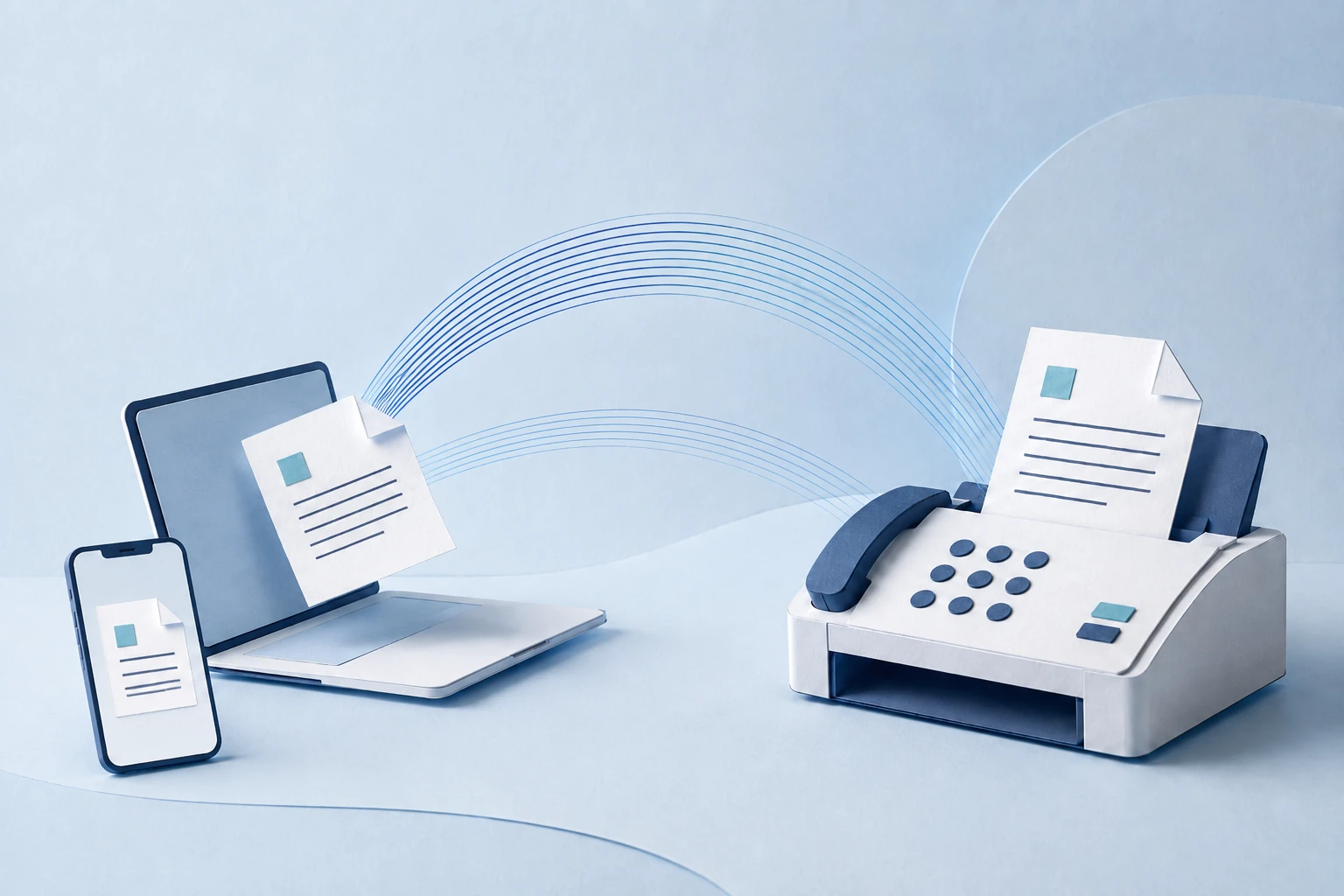
An online fax service replaces the physical machine with a cloud-hosted service that handles the same PSTN handoff at the network edge. Your document travels three legs:
Leg 1: Device to servers
Your device to the provider’s servers, over the internet, secured by TLS encryption. The document is also encrypted at rest once it reaches the provider’s storage.
Leg 2: Servers to endpoint
The provider’s infrastructure converts the digital document into the fax protocol and delivers it over PSTN to the recipient’s traditional fax machine, or directly to another online provider’s servers.
Leg 3: Recipient endpoint
If it’s a traditional fax machine, the document materializes as paper in a known physical location. If it’s another online fax service, the document stays digital and encrypted.
Compared to traditional faxing, online fax adds a cloud-storage and internet-transit layer to the security picture. Compared to email, online fax retains the PSTN handoff that makes interception structurally difficult, while gaining the convenience of digital workflows. The trade-off is that you’re now trusting a provider to handle the encryption and storage correctly — which is why the certifications discussed later in this guide matter so much.
Practical Security: How Online Fax Protects Documents Technically
Practical security is what most people think of when they evaluate a transmission method. How is the data encrypted? Where is it stored? Who can access it? What happens if a system is compromised? Below, we walk through each technical mechanism that makes online faxing secure.
Encryption & Data Protection
Online fax services use the same encryption standards the U.S. government uses for top-secret data: AES 256-bit at rest, TLS 1.2 (or higher) in transit. These aren’t fax-specific — they’re the same protocols banks, healthcare providers, and government agencies use for sensitive data of every kind. The point is that a properly configured online fax service meets the same cryptographic baseline.
AES 256-bit Encryption (Data at Rest)
AES (Advanced Encryption Standard) at 256-bit key length is the encryption used to protect documents while they’re stored on the fax provider’s servers. The 256-bit refers to the key length — there are 2256 possible keys, a number large enough that brute-forcing it is computationally infeasible with current or foreseeable hardware.
The encryption process runs the document through 14 rounds of substitution-permutation transformations using the 256-bit key. Without the correct key, the resulting ciphertext is statistically indistinguishable from random data. Only the holder of the key — the fax service authenticating you, or the receiving endpoint authorized to receive — can reverse the process and reconstruct the document.
For end-to-end encryption to work over email, both the sender and the recipient have to use compatible encryption software (PGP, S/MIME, etc.), and even then, encrypted email isn’t standard with mainstream services like Gmail. Encrypted email services exist, but they require both parties to opt in to the same system. Online fax encrypts by default, regardless of what the recipient is using.
Transport Layer Security (TLS 1.2+)
TLS protects the connection between your device and the fax provider’s servers. When your browser or fax app connects to the service, the two endpoints perform a TLS handshake — exchanging digital certificates to verify each other’s identity, then negotiating a shared session key for the connection.
From that point on, all traffic between your device and the service is encrypted with that session key. An attacker on your network (a coffee shop Wi-Fi, for instance) can see that you’re connecting to the fax service, but cannot read the documents you’re uploading or the faxes you’re receiving.
TLS 1.2 has been the minimum acceptable standard for handling payments since 2018; TLS 1.3 (released in 2018) is the current preferred version. Any reputable online fax service supports TLS 1.2 at minimum, and most have moved to 1.3 by default.
Phishing Resistance: Why Fax Has No Click-Through Attack Surface
The single most common security incident in any organization is phishing — an attacker tricks a user into clicking a link, opening an attachment, or entering credentials on a fake site. Email is the dominant phishing vector for a structural reason: emails carry interactive payloads. A link is a click target. An attachment is an executable. Embedded HTML can render fake login forms. Image-based tracking pixels report back to attackers when a victim opens the message.
A fax has none of this. The output of a received fax is a flat document — bitmap or PDF, depending on whether the endpoint is a traditional machine or an online service. There’s no clickable link, because there’s no rendering engine to make a link clickable. There’s no executable attachment, because the protocol doesn’t carry executables. The technology stack the recipient uses to read the fax is fundamentally non-interactive: a printer, or a static document viewer.
This is the structural reason fax doesn’t have a phishing problem. It’s not that phishing is harder over fax — it’s that the most effective phishing techniques (link spoofing, payload delivery, credential harvesting through embedded forms) require an interactive medium that fax doesn’t provide. The worst-case scenario for a malicious fax is a printed page asking the recipient to call a fraudulent phone number — vastly less effective than the equivalent email scam.
Network Attack Surface: PSTN Topology vs. SMTP Server Chain
The other major reason fax doesn’t appear in the headlines about large-scale data breaches is the difference in network topology between fax and email.
Email rides SMTP across many servers. When you send an email, your message hops through multiple servers on its way to the recipient — your outbound mail server, intermediate relays, the recipient’s inbound mail server, and any spam-filtering or archiving systems in between. Each of those hops is a potential interception point. Each server stores at least some metadata about the message, and many store the message body itself for at least a short window. A breach of any single server in the chain can expose messages.
Fax over PSTN is point-to-point. A traditional fax goes from your endpoint to the recipient’s endpoint over a switched telephone connection. There’s no equivalent of an intermediate mail server caching a copy of the message. Online fax adds the cloud-storage layer at the provider, but the actual fax-to-fax handoff is still a direct PSTN connection that doesn’t store the content along the way.
The attack surface is also smaller. A motivated attacker who wants to intercept faxes at scale needs physical access to phone infrastructure or a court order — both of which are bottlenecks that don’t exist in the cloud-and-internet ecosystem email lives in. Email servers are reachable from anywhere on the internet; phone infrastructure is reachable mostly by people who already control phone infrastructure.
This isn’t security theater — it’s the actual structural reason large-scale email breaches are routine and large-scale fax breaches are rare. The plumbing is just different.
Unauthorized Access
One of the legitimate concerns with traditional fax is the “what happens at the other end?” problem. If I fax sensitive information to an office, what stops a random employee from picking up the fax instead of the intended recipient? This concern is real, and it’s been addressed by both regulation and product design.
HIPAA regulations assume that fax machines handling protected health information are located in physically secure areas — often behind locked doors, with output routed into locked bins that only authorized staff can access. Healthcare organizations are required to document their fax security practices as part of their HIPAA compliance program; failures here are treated as breaches.
The remote-work shift since 2020 has actually made online fax stronger on this dimension than email, not weaker. When you email sensitive data, it lands in someone’s inbox — viewed on a laptop in a coffee shop, on a personal phone, possibly over public Wi-Fi. If the recipient’s laptop is lost or stolen, your data is at risk. Online fax, by contrast, lands in an authenticated, encrypted account that requires re-authentication to access. Even if a device is lost, the fax content isn’t sitting in a synced inbox cache.
HIPAA-compliant online fax services like Municorn Fax implement the access controls the law requires: two-factor authentication, role-based access, automatic logoff, and unique user IDs. Most consumer email services aren’t HIPAA-eligible without a Business Associate Agreement, and many of them don’t offer one to individuals at all.
Legal Security
Practical security covers the technical defenses; legal security covers the laws, regulations, and rights that determine what happens when sensitive data is mishandled and what evidentiary weight a fax carries. This is the layer most people overlook when comparing communication methods, and it’s where fax has its strongest structural advantages.
HIPAA
The U.S. has no federal data privacy law for general consumer data — privacy is governed by a patchwork of state and industry-specific laws. HIPAA is the most prominent of the industry-specific frameworks, governing how Protected Health Information (PHI) must be handled by covered entities and their business associates. HIPAA’s Security Rule mandates specific administrative, physical, and technical safeguards, and any service handling PHI on a covered entity’s behalf must sign a Business Associate Agreement (BAA) accepting responsibility for compliance.
HIPAA-compliant online fax providers sign BAAs and implement the full safeguard stack: encryption, audit logging, access controls, breach notification procedures, and documented incident response. This is more stringent than what most privacy regimes require, and it’s the reason healthcare and adjacent industries (insurance, banking when handling medical claims) default to fax for sensitive transmissions.
One specific gap that makes email weaker under HIPAA: covered entities can use unencrypted email to transmit PHI to a patient if the patient has been informed of the risks and explicitly consented. That’s a legal carveout the email industry leans on, and it shifts the risk from the entity to the patient. Faxing has no equivalent carveout — PHI sent by compliant fax is protected by the entity, not by the patient’s consent waiver.
Breach notification is also stricter under HIPAA than under almost any general data privacy regime. The Breach Notification Rule requires covered entities to notify affected individuals within 60 days of a breach being discovered, and breaches affecting 500+ people require notification to HHS and prominent local media. There is no equivalent federal mandate that requires email providers to notify you when their servers are breached.
Privacy Laws and Surveillance Thresholds
Beyond HIPAA, there are general legal asymmetries between fax and email that most people don’t realize exist.
Wiretap law applies to PSTN. Calls made over the public switched telephone network — including fax transmissions — fall under federal wiretap statutes that require law enforcement to obtain a Title III wiretap order before intercepting them. This is a high bar: it requires probable cause, judicial approval, and ongoing reporting to the issuing court.
Email has weaker default protections. The Electronic Communications Privacy Act (ECPA) governs email, and under its current interpretation, the U.S. government considers emails over 180 days old to be “abandoned” and accessible without a search warrant. This rule is a holdover from a time when emails were short-lived in transit; it has not been comprehensively updated to reflect modern always-on inboxes. The practical effect is that older emails on a server have substantially weaker legal protections than a fax transmission does, even when that fax was sent yesterday.
Penalties for interception are different too. Stealing mail or tapping telephone lines carries heavier criminal penalties than unauthorized access to email accounts. Mail tampering is a federal felony with mandatory prison time; email account compromise is typically prosecuted under the Computer Fraud and Abuse Act, with substantial variance in how cases are charged and sentenced.
None of this is hypothetical. The “mail or fax only” instruction you’ll see on government and healthcare forms is a direct result of these legal asymmetries — the channels that carry the strongest legal protections are the ones regulated industries default to.
Audit Trails and Delivery Confirmation
One of the most underappreciated security mechanisms in faxing is the audit trail. Every fax transmission generates a verifiable record: the sending number, the receiving number, the date and time of transmission, the number of pages, and a confirmation of successful delivery (or a documented failure). This is built into the fax protocol itself — it’s not an optional feature.
In legal contexts, this audit trail is treated as strong evidence. If a dispute arises over whether a document was sent, when it was sent, or whether it was received, the fax confirmation provides contemporaneous evidence from a system neither party controls. Courts routinely admit fax transmission records under the business records exception to hearsay rules.
Email has no comparable mechanism. Read receipts can be spoofed, declined, or simply not requested. Email headers can be edited by anyone with control of the relevant servers. SMTP doesn’t include native delivery confirmation; the “your email was delivered” notifications you get from some clients are convenience features, not authoritative records. Disputes over email delivery routinely come down to “your word against theirs,” with no neutral system providing a definitive answer.
Online fax services preserve and extend this audit trail. A modern service will log every transmission, retain delivery receipts for at least the period required by relevant compliance frameworks (HIPAA requires six years), and make the records exportable for legal discovery. For any communication where you might later need to prove delivery — contracts, regulatory submissions, time-sensitive notices — this is a meaningful security and legal advantage that no email workflow can match.
Online Faxing and Electronic Signatures
Many online fax services include electronic signature capabilities, letting you sign and send documents in a single workflow without needing to print, sign, scan, and re-fax. The signatures themselves are secured with cryptographic authentication — the signing process binds the signature to the specific document and to a verified identity, and any subsequent modification to the document invalidates the signature.
The legal weight of e-signatures varies significantly by document type. Most everyday transactions — contracts, agreements, consent forms — accept e-signatures under the federal ESIGN Act and state UETA statutes. But certain document categories explicitly require either ink-on-paper or fax signatures: wills, trusts, family law documents (adoption, divorce), notices of utility cancellation, eviction notices, medical power of attorney in some states, and several others. For these categories, a faxed signature is legally recognized in jurisdictions where a pure e-signature is not.
This is the practical reason fax remains the default for high-stakes signatures: the document is signed in physical form, transmitted as an image of that physical signature, and arrives as something a notary or court would recognize as a signed original. The combination of a faxed signature plus the fax’s audit trail is harder to challenge than almost any digital alternative.
Security Certifications: What to Look For
“Secure online fax” is a phrase that gets used loosely. The way to cut through marketing claims is to ask what independent assessments the provider has actually completed. Specific certifications and attestations to look for, in roughly increasing order of rigor:
- HIPAA Business Associate Agreement — table stakes for handling PHI. The provider must be willing to sign a BAA accepting joint responsibility for compliance. No BAA = no HIPAA compliance, regardless of any other claims.
- SOC 2 Type II — an independent audit of the provider’s controls around security, availability, processing integrity, confidentiality, and privacy, conducted over a sustained period (typically 6-12 months). A Type II report is materially stronger than a Type I, which only assesses controls at a single point in time. Ask for the report under NDA — most enterprise customers do.
- ISO 27001 — international standard for information security management systems. ISO 27001 certification means the provider has documented an ISMS, has it assessed by an accredited auditor, and re-certifies on a regular cycle.
- HITRUST CSF Certification — the strongest healthcare-specific framework, harmonizing HIPAA, NIST, ISO, and other standards. HITRUST certification is more demanding than HIPAA self-attestation and is increasingly required by large healthcare networks.
- PCI DSS — relevant if you fax payment card data (cardholder name + PAN). Look for the provider’s most recent Attestation of Compliance (AOC).
- FedRAMP authorization — required if you fax data on behalf of a U.S. federal agency. Most consumer-facing fax services aren’t FedRAMP-authorized; the ones that are typically advertise it prominently.
A reputable provider publishes their certificates and attestations. If a provider claims compliance but won’t produce documentation, that’s a red flag. Self-attestation (“we are HIPAA compliant”) is meaningfully weaker than third-party attestation (“here is our HITRUST certificate from an accredited assessor”). For high-stakes use cases, ask for the actual evidence before signing up.
The other practical checklist when evaluating a service’s security: encryption specification (TLS 1.2+ in transit, AES-256 at rest, both stated explicitly), retention policy (how long are faxes stored, when are they deleted, what happens on cancellation), access control mechanisms (MFA, role-based permissions, audit logs), and subprocessor disclosure (what third parties touch your data, do they have BAAs in place too).
The Bottom Line on Online Fax Security
Online faxing is secure for two distinct reasons that work together: a strong technical foundation (AES-256, TLS 1.2+, point-to-point PSTN handoff, no phishing-friendly interactive payload, structurally limited network attack surface) and a strong legal foundation (HIPAA’s Security and Breach Notification Rules, wiretap statutes governing PSTN, audit trails admissible as business records, faxed signatures recognized for document categories e-signatures aren’t). Neither foundation alone would be enough; together they make fax the default channel for regulated industries that have actually thought about this.
Online fax services bring this same security profile to laptops and phones, replacing the physical machine without compromising the protections. The technology stack changes — cloud storage, internet transit, app-based access — but the core security mechanisms (encryption, point-to-point delivery, audit trails, regulated handling) carry forward, and in some respects (access controls, breach response) the cloud version is stronger than the original.
If you’re evaluating a specific use case and trying to decide whether fax or email is right for your situation, our fax vs email comparison walks through that decision directly. If you’re ready to start using a HIPAA-compliant online fax service, our HIPAA-compliant fax service rankings compare the major options against the certification criteria above. For everyday secure faxing on mobile, the iPhone fax app and Android fax app roundups cover the most popular options for each platform.