Quick answer: Before subscribing to any HIPAA fax service, confirm one thing — the provider will sign a Business Associate Agreement (BAA). Without it, a HIPAA claim isn’t legally binding, which is why we flag SimpleFax as unverified. Our top picks are Municorn Fax and EveryFax, which include HIPAA on every plan with unlimited pages. For the wider field beyond HIPAA, see our best online fax services roundup. If you fax only occasionally, CocoFax (from $8/mo) and Faxage (pay-per-page) cost less. eFax ($50/mo) and Fax.Plus ($100/mo) only make sense if you need their enterprise features.
List updated December ’25
If you’re sending medical records, insurance documents, or anything else covered by HIPAA, the fax service you pick matters as much as the fact that you’re faxing in the first place. A non-compliant service can have strong security on paper but isn’t legally bound to any of HIPAA’s rules – which means no Business Associate Agreement, no breach notification obligation, and no recourse if your data is mishandled.
This is our ranked review of 10 online fax services that meet HIPAA requirements. We evaluated each one against published terms of service, BAA availability, encryption claims, platform coverage, pricing transparency, and third-party user reviews. If you want a deeper explainer on what HIPAA actually requires from a fax provider, see our HIPAA-compliant fax guide – this page assumes you’ve already decided you need one and want help choosing.
Two HIPAA concepts directly shape how you should evaluate a fax provider. Protected Health Information (PHI) is any medical record about you that the law shields – treatment history, prescriptions, insurance claims, anything tied to your healthcare. A Business Associate Agreement (BAA) is the contract a service must sign before it’s legally bound to HIPAA’s rules when handling that PHI. A fax provider that won’t sign a BAA isn’t HIPAA-compliant, no matter what its marketing claims – and that’s the single most important thing to confirm before you subscribe.
For full detail on the Privacy Rule, Security Rule, Breach Notification Rule, and how HIPAA enforcement works in practice, see our HIPAA-compliant fax guide. The rest of this page is the ranked review.
What To Look For In A HIPAA Compliant Fax Service
HIPAA compliance is binary on paper – a provider either signs BAAs and follows the rules or it doesn’t – but the way services package that compliance varies enormously. The five things to check before subscribing:
BAA availability and accessibility.
Will they sign one on request? Is the commitment in their terms of service, or do you have to email and wait? One service on this list (SimpleFax) makes no clear commitment at all.
Which subscription tier unlocks HIPAA.
Some providers include HIPAA on every plan – Municorn, EveryFax, and CocoFax all do this. Others gate it behind expensive enterprise tiers: eFax doesn’t offer HIPAA-compliant faxing under $50/month, and Fax.Plus locks it to a $100/month Enterprise plan. The headline starting price is often not the HIPAA price.
Encryption standard.
Look for 256-bit AES at minimum, plus additional layers like 2FA, audit trails, or optional PGP encryption. If a provider doesn’t publish its encryption standard, that’s a flag.
Platform coverage.
If you’ll be faxing from a phone in a clinical or on-the-move setting, you need real iOS and Android apps – not a mobile-formatted web page. Check that the apps actually exist on the stores; one provider on this list claims iOS/Android apps that we couldn’t locate.
Page limits and overage charges.
Medical situations can produce sudden bursts of faxing. Unlimited plans (Municorn, EveryFax above basic) remove a planning headache; metered plans like SRFax’s 200 pages or iFax’s 500 are fine for predictable use but punishing during a flare-up. Check whether cover sheets and message pages count toward your limit – CocoFax bills them separately, which can burn through a low-tier plan fast.
The rankings below are scored against these five criteria, with platform usability and customer support feeding into the overall verdict.
How We Evaluated These Services
This is a desk-research review, not a paid bench test. For each service we checked five things from public sources:
Terms of service and BAA commitments. We read each provider’s published terms or BAA addendum to confirm whether the company commits to signing a BAA on request, or only on certain plans, or not at all. Where the commitment was ambiguous, we flagged it (see SimpleFax).
Pricing pages and HIPAA-tier gating. We documented the cheapest plan on which HIPAA compliance is actually offered. This is often not the headline starting price – eFax’s lowest plan, for example, is well under $50/month, but its HIPAA-compliant tier starts at $50.
Encryption and security claims. Pulled from each provider’s security or compliance page. Where a provider doesn’t publish its encryption standard, we noted that rather than assuming one.
Platform availability. We checked the App Store, Google Play, and provider websites to confirm that mobile apps actually exist and are current. CocoFax’s iOS and Android apps were not findable at the time of writing despite the marketing claims – we report what we could and could not verify.
Third-party user reviews. We pulled ratings and recurring complaints from G2, GetApp, the Apple App Store, and Google Play to surface usability issues that don’t appear on the provider’s own marketing pages.
We did not run paid HIPAA-compliance audits ourselves – that’s the auditor’s job, and a paid review process would compromise our independence. The “Verified” note on each service below summarises what we confirmed from public sources, and flags where claims could not be independently confirmed.
The 10 Services Compared
Every HIPAA-compliant service we reviewed, ranked. Tap a name to jump to its full review.
Verified: BAA committed in Municorn’s published terms of service. HIPAA compliance is included on every subscription tier — weekly, monthly, and annual — with no upgrade required.
The Best Overall Choice For Most Users
Municorn’s iPhone Municorn Fax (also available on Android or on the web) is our best online fax service for HIPAA compliance, and also happens to be the most rated fax app on the Apple Store, with over 350,000 ratings and an average score of 4.8 out of 5 – so we’re not the only ones putting this at the top of our list.
It offers great value and flexibility, an unrivalled quality of service, and the easiest user experience on this list – with top-rated mobile phone apps and a web portal, offering all types of users a smooth faxing experience.
The Best Value And Flexibility
Our top choices on this list include HIPAA compliance in every single tier of subscription – from the most basic to the most expensive – and Municorn Fax is no different. However, Municorn goes one better, and includes unlimited pages and worldwide international faxing at no extra cost, even on the lowest cost subscription.
What’s more, this is one of the rare faxing services which gives you a weekly subscription option, as well as an annual or monthly subscription. This is the ultimate flexible pricing offer, giving users short-term or longer-term options to set up their own HIPAA compliant fax number, and send as many faxes as needed without any extra charges.
Incredible Fax Quality
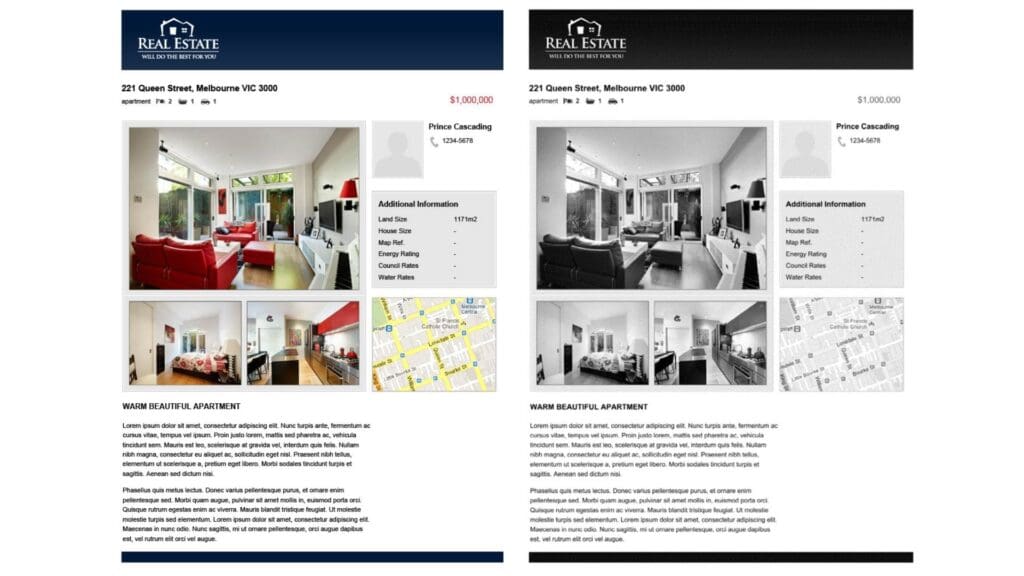
Medical faxes need to be incredibly clear and readable, so fax quality is crucial for any HIPAA compliant service. This app leaves us in no doubt – capturing text, graphics and photos in perfect detail, check out the fax quality of a test fax we sent below.
Customer Support
Another way this app stands out is the technical and customer support. Firstly, your entire faxing history is backed up in cloud storage, and since this app is HIPAA certified, this means a very secure storage method.
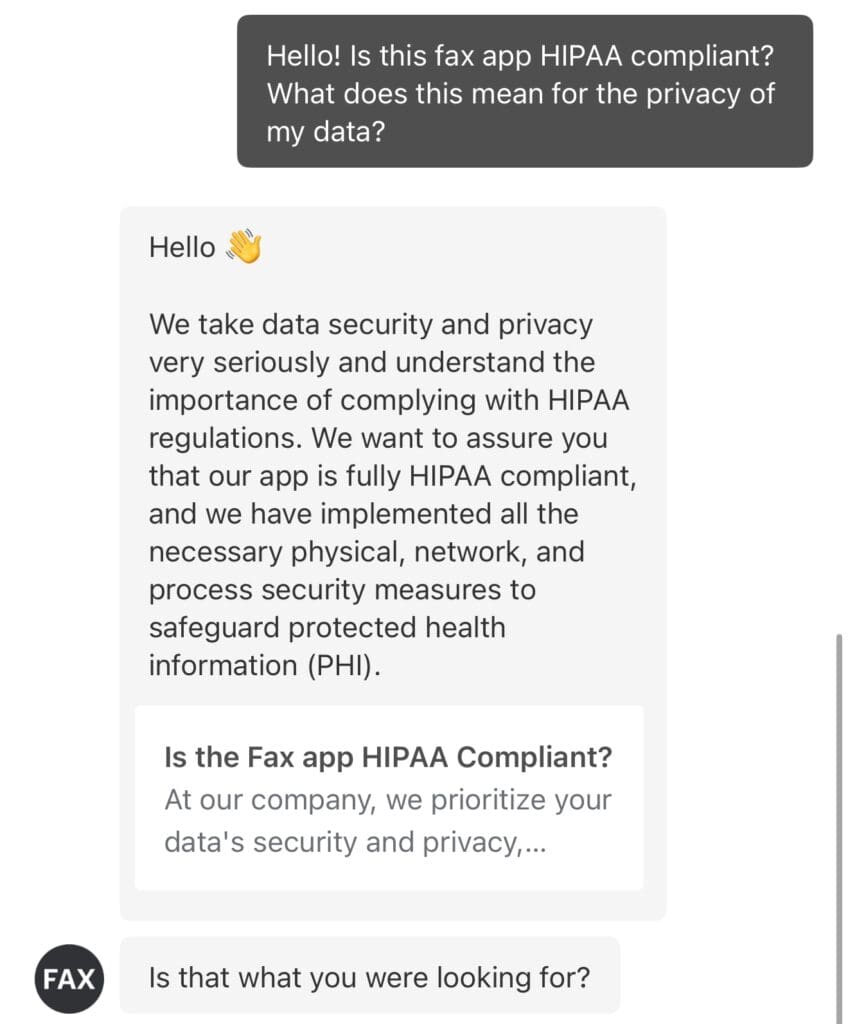
There’s a reason it’s the highest rated fax app on the Apple Store – very few other apps on this list offer in-app live chat with customer support, which means you can get instant help if you have any questions. Check out the example below, where I asked about HIPAA and got an instant response!
Easy User-Interface
Beyond the live chat feature, the entire fax app is incredibly easy to use, whether you’re on iPhone, Android, or the web. You can send and receive faxes with ease, and signing up and choosing your own fax number takes a matter of minutes.
Should You Use Municorn Fax?
Municorn’s fax app is our top all-round choice for any individual, whether you have heavy or moderate faxing needs. Unlimited pages and high quality faxes, with flexible pricing and low-cost subscriptions make this the ideal choice for most people – however if you’re using faxing for your business then you may prefer the next option.
Verified: BAA available on request per published terms of service. HIPAA compliance is bundled into the basic plan; 5-seat and 25-seat business tiers also available.
The Best Choice For Email Faxing, or Businesses
Some people prefer to send faxes over email – especially when dealing with healthcare organizations. EveryFax is an email-to-fax service which lets customers send and receive faxes straight from their email account, and also includes our favourite web faxing option.
Value and Flexibility
Despite not having a weekly option, EveryFax offers great value to individuals through including HIPAA compliance as standard on its basic plan, and also includes unlimited faxing on all other plans – only the top two options on this list offer unlimited pages, which means you won’t ever have to worry about sending lots of faxes in a short time – which can often happen during a medical situation or insurance claim.
EveryFax also offers 5 seat or 25 seat options, making it ideal for small businesses who need to handle sensitive healthcare information across a team.
Email or Web Faxing
EveryFax gives all users two ways to fax – using email, or using the web app, which can be accessed from any desktop or mobile browser. This makes it ideal for connecting with healthcare professionals in a way that suits you best. You can take advantage of the web app’s functionality with features like electronic signatures – in case any of those medical documents need a quick signature and fax.
Customer Support
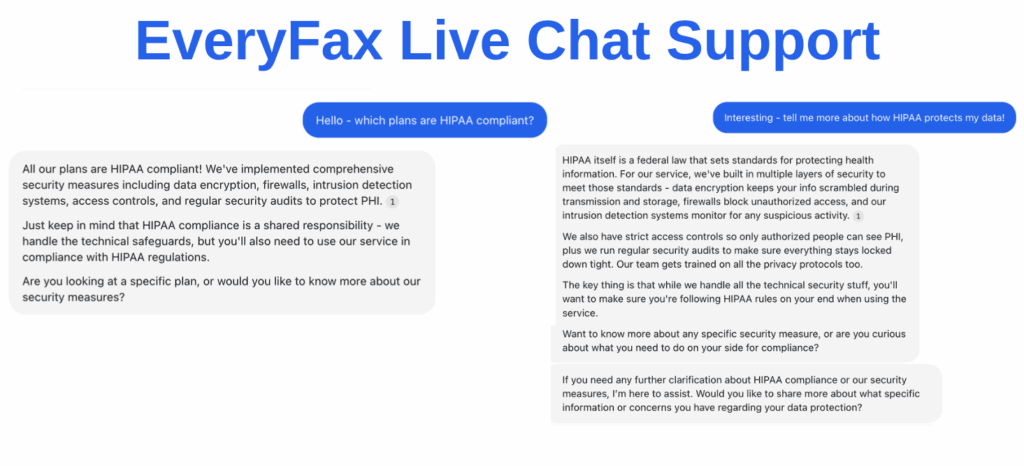
EveryFax also demonstrates exceptional customer support – even including access to a 24/7 support line for most of its plans. It’s also one of the few options on this list to include a live chat feature, which you can use to ask its AI questions about the service, or speak to a support agent. I asked it about HIPAA faxing – check out the answers it gave me below!
Should You Use EveryFax?
EveryFax is a top choice for anybody who just prefers doing things over email, or people who want an advanced web app to fax from using any device – it works great on desktop or mobile. EveryFax is also the best choice for small or medium sized businesses who handle electronic Protected Health Information – the unlimited faxing combined with the industry leading customer support makes this a no brainer if you’re running a business.
3. CocoFax
4/5
Flexible Pricing
Verified: BAA available on request per terms of service. HIPAA included from the $8/month Lite plan. 256-bit AES encryption, 2FA, and GDPR/PCI-DSS compliance are publicly documented. Note: we could not locate working iOS or Android apps despite CocoFax’s claim to offer them.
A User-Friendly and Very Flexibly Priced Alternative
CocoFax is a popular fax service used by individuals and enterprises and stands out for its multi-platform offering and its very flexible pricing – with a huge range of subscription packages to choose from. You can even try it out for free with no strings attached – including free HIPAA compliance!
The Good
Lots of different pricing options – including very limited and low-cost ‘Lite’ and ‘Basic’ options, giving flexibility to customers who only fax occasionally for as low as $8 per month, as well as advanced business packages.
A free trial which allows users to send up to 9 pages of HIPAA compliant faxes, with your own custom fax number.
Very strong security, with every subscription level offering HIPAA compliant faxes, as well as top data security measures such as 256-bit AES encryption, 2FA and firewall protections, complete with GDPR and PCI-DSS compliance.
CocoFax claims to be omni-platform – use it on a web browser, windows or Mac computer, iPhone or Android, or email-to-fax, at no extra cost. However, take a look at our last point on the ‘Bad’ section.
CocoFax supports connectivity with most cloud storage services, productivity apps, and electronic medical record systems – great for businesses.
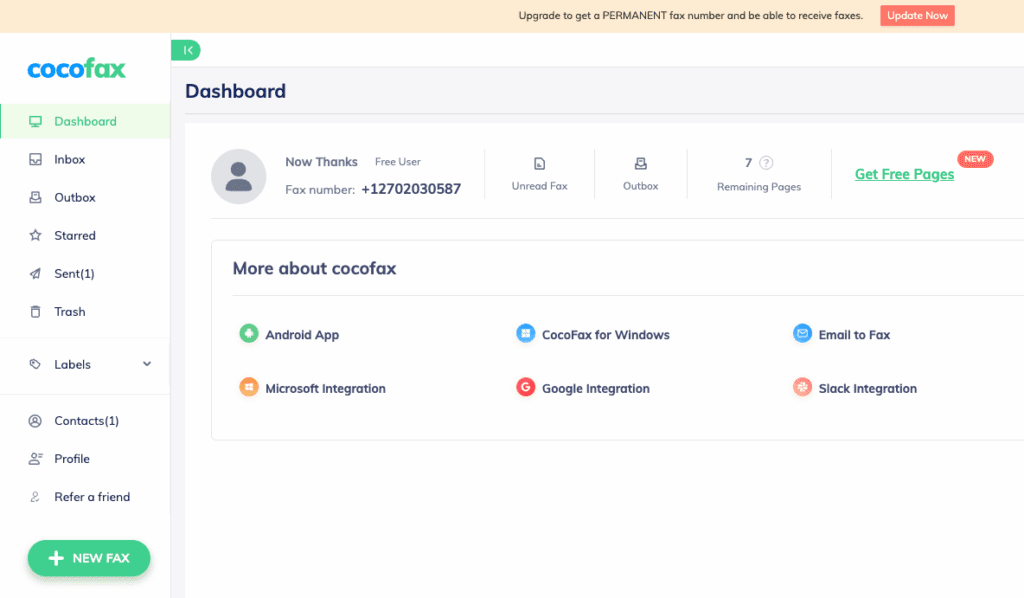
The web faxing app is very user-friendly, resembling most popular email services like Gmail or Outlook.
CocoFax is well reviewed on G2, with a 4.7 out of 5 rating – better than top services like HelloFax and Documo. Users on GetApp also have good things to say about it, with a 4.3 out of 5 rating.
The Bad
CocoFax charges you a page for cover sheets, which many online faxing services do not do. There’s also an option for you to send a message with your outgoing faxes – CocoFax puts this message on a separate page (not the cover page), and charges you for that too – meaning you could be charged 3 pages for a 1 page fax. You need to bear this in mind when selecting your monthly subscription, as a Lite subscription can run out very quickly.
The fax quality is good, but not as excellent as some other top services.
CocoFax’s options for business customers are not quite as advanced and customisable as those offered by other online faxing services, such as eFax and Fax.Plus.
At the time of writing, the CocoFax Android app was unavailable on the Google Play store, with the link provided on their website leading to a broken URL. We also couldn’t find it when searching the store on our own phone. What’s more – we were unable to find any link to the iPhone app, and we couldn’t find it on the iPhone app store, despite CocoFax’s website claiming to offer an iPhone app. So right now, there is no evidence to support CocoFax’s claim to be available on Android or iPhone apps.
Should You Use CocoFax?
CocoFax is a great alternative option for most people, but especially those who do not regularly send faxes. The very low-cost options which include HIPAA compliance make this a really accessible choice. However, there’s a few things to watch out for – don’t count on the mobile apps being available (we couldn’t find them!), and since you get charged for fax cover pages and messages, your low-cost subscription could run out very quickly.
Verified: BAA available on request. The pay-per-page model ($3.49/month base + $0.05/page) makes Faxage the cheapest entry point on this list for low-volume HIPAA use. Faxage’s website only references US and Canada coverage; international faxing is not confirmed.
Faxage is a healthcare-specialised online faxing provider. It’s not the shiniest or most exciting option on this list, but it offers exceptional value and support for HIPAA faxing, and is multi-platform, and it’s provided by a company with a great reputation.
The Good
Faxage has a great range of low-cost options and will even recommend you a plan based on what you need. None of the higher options on this list offer what Faxage does – a very cheap monthly fee of $3.49 to maintain your own fax number, and then $0.05 per minute (per page) for any incoming and outgoing faxes.
You can get multiple fax numbers under the business plans.
You can also get a toll free fax number at a good deal – great for businesses who want to give their customers this option.
Faxage is truly omni-platform – you can fax from the website, from email-to-fax, from their mobile apps, or with their API access.
You can call Faxage at any time during business hours and receive specialist support over the phone, no matter your subscription level.
The Bad
The web app and mobile phone apps are quite dated – they don’t look or feel very modern, and lack some of the features and ease-of-use that services like Municorn Fax and EveryFax offers – such as in-app scanning, and the wide range of file types.
There is a small setup fee of $5 for most subscriptions, incentivising people to stay subscribed for longer lengths of time rather than quickly subscribe and unsubscribe whenever they need to.
Faxage’s website states that they support faxing across the US and Canada – it isn’t clear if you can send international faxes.
Should You Use Faxage?
Faxage isn’t the best-looking or the easiest to use, but it works on every platform and is a very good option if you need a cheap, long-term fax number which will always be HIPAA compliant, with the occasional need to send faxes that guarantee a secure transmission. If you very rarely send faxes, but always want a fax number just in case, then Faxage might be the best value option on this list.
Verified: BAA available on request per terms of service. HIPAA compliance is included on all tiers, including the single individual plan. Strong business pricing structure but limited choice for personal users.
Documo (formerly known as mFax) is a highly secure cloud-based faxing service, which helps its users send over 600,000 fax pages per day. It comes with very user-friendly apps and web options, also including email-to-fax and of course, HIPAA compliance on all subscription tiers.
The Good
Top customer support, with live chat, phone line contact or email during business hours.
Comes with very advanced features for businesses, including integration into many different systems, and its own Intelligent Document Processing feature – designed to help businesses process incoming faxes more efficiently.
Very good iPhone and Android apps, as well as web faxing and email-to-fax.
Lots of good value business pricing tiers, with competitive prices for high-volume business faxing.
The Bad
Documo only has one subscription option for individuals, meaning that for personal use, it gives customers a very limited choice which doesn’t represent the best value.
The apps can be limited in functionality, and it is better to scan and edit documents for faxing in a different app.
Should You Use Documo?
Documo is a good option for high-volume business faxing – the Enterprise plan offers good value for heavy faxing, and the multi-platform nature means it can be flexibly used. However, it’s not recommended for smaller business on a tighter budget, and it’s also not the best choice for individual users.
Verified: BAA available on request. HIPAA is gated to the $30/month Plus plan and above; the $40/month Pro plan unlocks email-to-fax, custom cover sheets, scheduled faxing, and most other usability features. Free trial does not include HIPAA compliance.
iFax is a popular online fax service, offering a very sleek and modern user experience across all platforms. It offers a variety of pricing and user options for faxing, and includes some very advanced and AI powered features to enhance the faxing process.
The Good
Very widely used service with strong ratings on G2, and a variety of industry awards and certifications.
Multiple pricing models – you can purchase a subscription for regular faxing, or you can pay per fax – offering better flexibility than most options on this list.
Very modern and well-designed apps which are a pleasure to use, and support a huge range of features such as annotate/sign documents, scheduled faxing, integration with other systems, and AI features.
High quality faxes.
The Bad
One of the more expensive options on this list – HIPAA compliant faxing is only available with the advanced ‘Plus’ subscription, which starts at $30 per month and includes 500 pages per month – you can get better deals elsewhere.
The ‘Plus’ subscription option is very limited and it feels like iFax is trying to push users to the more expensive ‘Pro’ option, at $40 per month. With ‘Plus’, you cannot get basic features like custom cover sheets, scheduled faxing, fax forwarding, annotate or signing, 24/7 live chat, or even faxing via email.
Should You Use iFax?
iFax is one of the pricier options on this list for HIPAA compliant faxing, which is what brings it down to this ranking. However, it’s still a fantastic service if you’re willing to pay for it – the ‘Pro’ option is a great choice for an individual or business with heavy faxing requirements, and the iFax apps are some of the best in all of online faxing. Read our iFax review here.
Verified: BAA available on request. PHIPA (Canada) compliance also documented. Optional PGP encryption is publicly offered. Note: SRFax’s marketing claim that it is the “only HIPAA-compliant fax service that signs a BAA” is false – several providers on this list do.
SRFax is an email-to-fax focused service with extremely high security and HIPAA standards, set up specifically to help people and medical providers faxing patients medical information. If you only need to use email-to-fax, SRFax can be a very affordable way to stay HIPAA compliant when faxing.
The Good
Low-cost ‘Lite’ option – 200 pages per month (sending or receiving combined) for only $12.60 per month, with your own fax number. Other packages are also very competitive and low-cost for more pages.
Complies with all Canadian regulations (PHIPA) as well as HIPAA.
Optional PGP encryption available on all faxes to further protect sensitive information.
Provides access to a secure downloader and printer driver, for more advanced and technical users and organisations.
Will sign a business associate agreement whenever required.
The Bad
No app or web faxing options, therefore only usable via email-faxing or by printer driver faxing – which most people do not prefer.
Very high volume plans can become expensive (it goes over $500 per month) compared to an unlimited faxing service such as Municorn Fax, or EveryFax.
The website states “SRFax is the only HIPAA-compliant fax for healthcare that will sign a Business Associate Agreement”. This is false and misleading – other services on this list do that, so we have a problem with them putting false claims on their website which are unfair about other faxing services.
Should You Use SRFax?
SRFax can be very budget-friendly if you only need light email-to-fax support – it has very high security standards, and businesses can benefit from their BAA support, secure downloader and printer driver options. The more high-volume faxing plans are extremely expensive, however. Read our SRFax review here.
Not verified: SimpleFax’s website states the service is HIPAA compliant, but we could not find any commitment to signing BAAs in its public terms or documentation. Without a signed BAA, HIPAA’s rules do not legally bind the provider – treat the compliance claim as unverified.
SimpleFax is a unique, niche option for people who don’t send many faxes, and don’t need too many advanced technical features. The pricing model is very different to anything else on this list, and will only suit some people, but for those people it is a great option.
You pay a one-time fee to download the app – either for mobile app, Windows or Mac computer. You then follow a 20/20 rule – you can send 20 HIPAA compliant faxes per month, of up to 20 pages each.
The Good
Incredibly cheap long-term option for people who have light, but regular requirements to send faxes.
You can send faxes to around 25 different countries, at no extra cost for international HIPAA faxing.
Available on Android and iPhone, and Mac and Windows.
No subscriptions.
The Bad
The app claims to be HIPAA compliant, but there is no detail apart from that statement on their website, and they do not say if they will sign Business Associate Agreements with customers. This means we cannot be sure that they are implementing the security measures associated with HIPAA compliance.
There are no ‘bells and whistles’ – the app is extremely limited and only supports PDF documents, so you will have to scan and prepare your documents separately before using.
You cannot get your own fax number, and you cannot receive faxes – only send.
Customer support is very limited.
Fax quality is average at best.
If you want to use SimpleFax on a different platform, you have to purchase it again – for example, going from Windows to iPhone requires 2 different purchases.
Should You Use SimpleFax?
People with infrequent faxing needs, who only need to send (not receive) faxes, and don’t mind about the average quality and lack of technical features might benefit from using SimpleFax. If you’re technologically savvy enough to work with it, it’s a great long-term option.
The only other big problem is that with medical faxing, you may sometimes need to have your own fax number to receive important documents back from healthcare organizations.
Verified: BAA available on request. HIPAA compliance is locked behind the eFax Protect tier ($50/month minimum), making eFax one of the more expensive entry points for HIPAA-compliant faxing on this list. Free trial is not HIPAA-compliant.
eFax is a king in the world of online faxing, and has helped Fortune 500 companies with their faxing needs for over 25 years. With some of the highest security measures in the industry, it should be on any list of faxing services which offer secure HIPAA faxing.
The Good
eFax has a ‘very large files’ feature for sending huge files, which are usually too big for emails or faxes. This can be helpful for complex medical documents.
eFax has some of the strongest security measures in online faxing and can offer customers specialist compliance advice for companies that work in regulated sectors, so they also act as consultants.
Unrivaled fax quality.
You can get a free trial period (but it won’t be HIPAA compliant).
The Bad
HIPAA compliant faxing is only offered with eFax Protect or above – meaning that you cannot get a HIPAA compliant service for under $50 per month, making it one of the most expensive options to get basic HIPAA protection.
Other important features are also only available on the more expensive plans.
The online fax portal and mobile apps are outdated with frequent performance issues – such as broken links, crashing, and constantly logging you out. This gets very frustrating when using the app.
Should You Use eFax?
eFax is a top option for large businesses who want custom-built enterprise fax plans and would benefit from the specialist advice and features eFax can provide. As a smaller business or individual user, there are much better options on this list for HIPAA-compliant faxing.
Verified: BAA available on request. HIPAA compliance is restricted to the Enterprise tier at $100/month – the most expensive HIPAA entry point on this list. Free trial is not HIPAA-compliant.
Fax.Plus is a sleek and polished online faxing service – with some of the most user-friendly apps available and some clever features for higher paying customers, it also offers HIPAA faxing to some users.
The Good
Fantastic apps and user-friendliness on all devices.
Strong basic security, and very advanced security features such as access to data residency locations for Enterprise customers.
Free trial period (which is not HIPAA compliant).
The Bad
HIPAA compliance is only offered to Enterprise customers – at $100 per month, this makes it the most expensive option on this list for customers who need HIPAA compliance.
Lots of other key features are only available on more expensive plans.
Should You Use Fax.Plus?
Fax.Plus is a great online faxing service for casual faxers, with a great range of apps that support high quality faxing. However, for HIPAA compliant faxing, it’s not a good choice simply because of how expensive it is. The only people we’d recommend consider this option are large businesses with heavy faxing needs, who might want to use some of Fax.Plus’ other advanced features available on the Enterprise plan. Read our Fax.Plus review here.