7 Best Online Fax Services for a Mac

a review of available fax from mac options

If you’re a Mac user trying to pick a fax service, this is the buyer’s guide for that decision. We tested 7 leading fax services on Mac — sending the same test documents through each, signing up to each platform, contacting customer support, and comparing pricing across plans — and ranked them on quality, value, Mac compatibility, and features. Below you’ll find the full ranked review. If you already know which service you want and just need the actual setup instructions, our how to fax on Mac guide is the companion how-to with step-by-step walkthroughs.


Why Fax From A Mac?

“Can it send faxes?” might not be the first question you have when checking out that new iMac or MacBook Pro in the Apple Store, but it’s a more important question than you might think — faxing is still very common when it comes to important correspondence.

Most online fax services also offer better basic security features — like end-to-end encryption, which email giants such as Gmail and Outlook still don’t include as standard for all users. The better security and legal protection are things you can take full advantage of with an online fax service from your Mac.


How We Tested

To rank the 7 services below, we ran each through the same evaluation:

  • Fax quality — we sent the same test brochure PDF (a multi-page document mixing text, color photographs, a map, and graphical icons) through every service, then compared the received output side-by-side. The brochure was chosen because complex mixed-content documents expose differences that simple text-only faxes don’t.
  • Mac compatibility — we tested each service from a Mac, using whichever access method the provider supports (native Mac app, web browser via Safari and Chrome, or email-to-fax through Apple Mail).
  • User experience — we signed up from scratch on each platform, sent and received our first fax, and noted friction points (account setup, fax number selection, the actual send flow, inbox management).
  • Customer support — we contacted the available support channels (live chat, email, phone where offered) with a real question, timing the response and judging the quality of the answer.
  • Value — we compared the published pricing tiers across all services, looking at per-page cost at typical usage levels, what’s included as standard versus what costs extra, and how international faxing is priced.
  • Privacy and compliance — we reviewed each provider’s published privacy posture and HIPAA position. Where a provider claims HIPAA compliance, we looked for the BAA availability and any tier restrictions.

One honest note on methodology: HIPAA compliance claims and uptime stats are based on what each provider publishes, not on our own independent audits. Quality, UX, support, and value findings are all from our own testing.


At-A-Glance Comparison

ServiceMac accessPages / moFax qualityHIPAAStandout
Fax App by MunicornNative Mac app + iPhone syncUnlimited (incl. international)Top tierYes, includedBest UX, only truly unlimited plan
EveryFaxWeb + email-to-faxUnlimited on mid-tierTop tierYes, includedCleanest web interface, 50+ countries free
iFaxMac app + web + email (extra)Limited (varies by plan)InconsistentStrong certificationsMost advanced features, best support
Fax.PlusWeb + email-to-fax (Mac app unverified)Varies by planAbove average$100/mo plan onlyGood value at low end
Dropbox FaxWeb + email-to-fax300 at $10/moBelow averageNot specifiedBuilt-in for existing Dropbox users
eFaxWeb + email + iOS app150 on ProAmong bestStrong (industry-focused)Trusted by enterprise, clean Gmail-style UI
GotFreeFaxWeb only2 faxes/day, 3 pages eachPoorNot secureFree

The detailed reviews below explain the ranking. If you want the dedicated comparison of free fax services specifically, see our free fax services review.


1. Fax App by Municorn

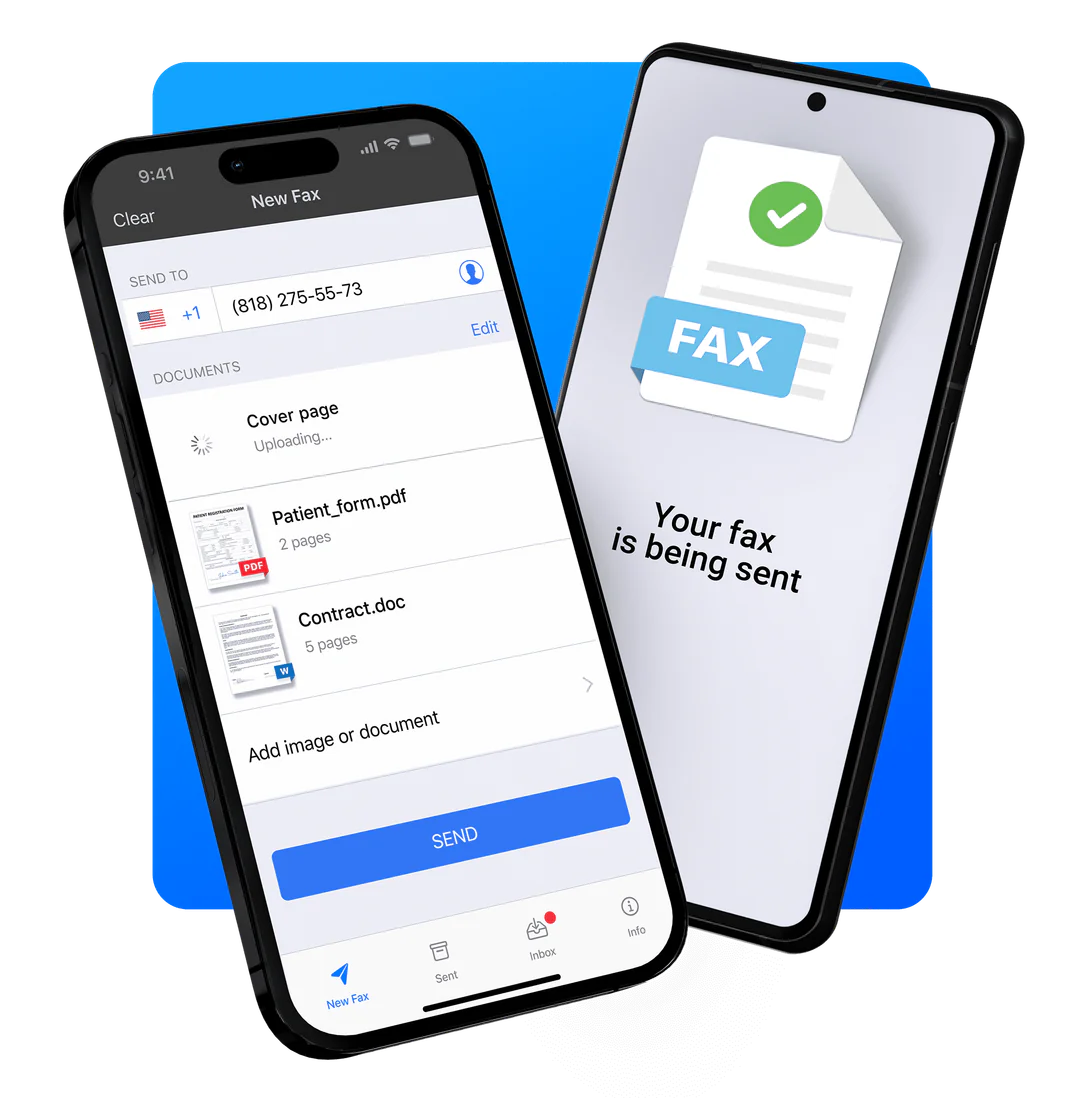
Fax App by Municorn is a faxing app for Mac computers and for iPhone. The highest rated faxing app on the app store, it runs as native faxing software on your Mac without the need to navigate a web interface, making it as familiar as any other Mac app — like Messages or Mail.

It comes with a simple but powerful interface, a range of subscription options that all include truly unlimited faxing, and over 350,000 reviews on Apple’s store with an average rating of 4.8 out of 5.


Why we love it

  • Only service on this list to include truly unlimited global faxing as standard — no extra charges, ever
  • Best Mac user experience on the list, with iPhone sync for easy document scanning on your phone
  • Top-tier fax quality in our brochure test — the clear winner

What could be improved

  • Because it’s a fax app, it doesn’t offer a fax-from-email service or web faxing — so if you also have a PC you want to fax from, or would rather use email, you’ll need to find a different method


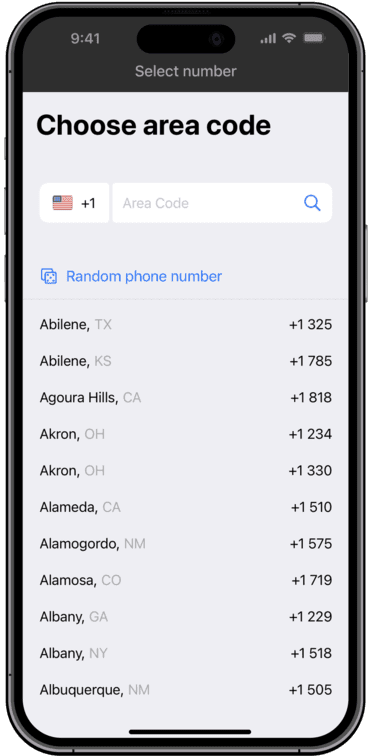
Of every service we tested, Municorn’s Fax App delivers the smoothest and most intuitive Mac experience. As the highest-rated and most popular faxing app on the App Store, it benefits from a setup flow that uses your existing Apple ID — no new account or extra password to remember — and a native interface that feels at home on macOS.

sign up and choose a fax number fax app municorn

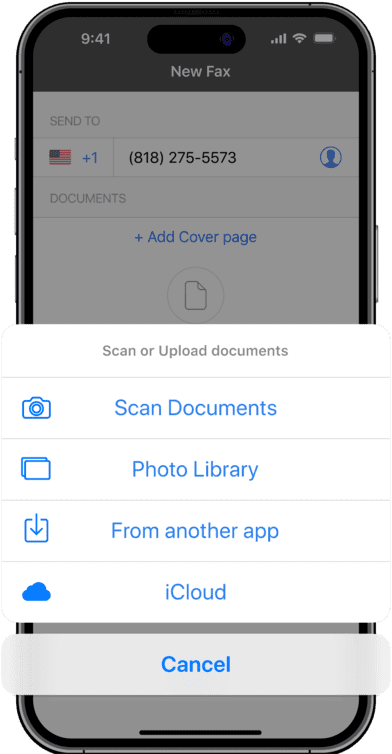
The send flow shows a helpful summary page before transmission — fax pages, recipient number, and cover page all visible from one view — which we found reduced the kind of “did I attach the right file?” anxiety that plagues some of the web-based competitors.

create a new fax on mac

The Apple-friendly design is one thing, but the quality of the service is what cemented its position at #1. No other platform we tested could capture our brochure PDF in better detail — text, images, and graphics all transmitted in HD-grade clarity. If you need to send documents via fax with the best clarity, this is the service to use.

municorn fax app quality test showing good sent fax quality

On value, this is also the only service on the list that offers a truly unlimited fax plan as standard — international faxing included (most others charge extra by destination), and no page limits. There are weekly, monthly, or annual plans to choose from.

Customer support is another win — in-app live chat is available, and the service offers full HIPAA compliance and end-to-end encryption (something your email service won’t give you). It also retains the conveniences of email: upload as many files as you need to attach to a fax, and the app converts them into fax pages. The app keeps a log of all sent and received faxes, even backing them up for free in case you lose your device.

Overall, if you’re looking for a way to get the most out of your hardware and fax from Mac with minimum hassle, the Fax App is our top recommendation.


2. EveryFax

EveryFax is a web faxing and email-to-fax service, and it’s our favorite web-based faxing interface for Mac (and for mobile). If you prefer to use email or a web browser like Safari, EveryFax offers one of the cleanest and simplest user experiences, with high-quality faxing and better value than almost any other service we tested.


Why we love it

  • Sleek, well-designed web faxing interface — the cleanest of any browser-based service we tested
  • High-quality support features: live support chat, HIPAA privacy protections, and AI assistant
  • Outstanding value — covers 50+ countries with no extra charges (unlike most others on this list), and offers an unlimited faxing tier at a lower cost than competitors who cap their plans at a few hundred pages

What could be improved

  • No weekly subscription option (only monthly or annual), offering slightly less flexibility than services like Fax App

EveryFax works from any email app or browser on Mac — both options are included as standard, so all you need is an internet connection.

The standout for EveryFax is the web interface itself — it’s as intuitive as any app you might download, and compared to alternatives on this list such as Fax.Plus, EveryFax just feels more polished, cleaner, and slicker. Small touches like the country flag next to each fax number reflect a level of design care that the competition lacks. The layout and color palette of Fax.Plus reads more “Windows XP” by comparison; EveryFax looks and feels more like Apple’s latest operating system.

EveryFax and Fax.Plus receive fax interface screenshots side by side

The small speech bubble in the bottom right of EveryFax’s menu opens a chat window where you can either contact customer support or connect to an AI agent — and crucially, you can try this on a free account, before signing up to a paid plan, which most competitors don’t allow.

everyfax support chat snapshot

The other standout is value. EveryFax’s basic, lowest-cost subscription doesn’t charge extra for international faxes — most other faxing services charge a high premium for faxing abroad. Its mid-range plan also includes unlimited faxing at a lower price than other services on this list that limit users to as little as 500 pages. On average price per page, EveryFax and the Fax App are the clear winners on this list.

EveryFax also offers Team and Business plans, plus an Enterprise tier for larger deployments — making it a fantastic option for business users on Macs who need to stay productive even when they’re not in the office.


3. iFax

iFax is a feature-packed faxing service with elite-level customer support. iFax is available for Mac users via an app, web browser, or email-to-fax (at extra cost). It does, however, have some quality concerns, and it isn’t quite the value that other services on this list represent.


Why we love it

  • Huge range of advanced technical features
  • Outstanding customer support
  • Mac users can access it via app, web, or email

What could be improved

  • Inconsistent fax transmission quality in our tests
  • Expensive compared to its feature parity with cheaper rivals
  • Many basic features locked behind higher-cost subscriptions — for example, email-to-fax is only available on the most expensive plan

Having sent over 20 million faxes, iFax is a highly trusted online fax service for Mac owners. iFax has a Mac app but can also be used via web browser or, at extra cost, email-to-fax. The web browser delivers the best experience due to the number of features only available there.

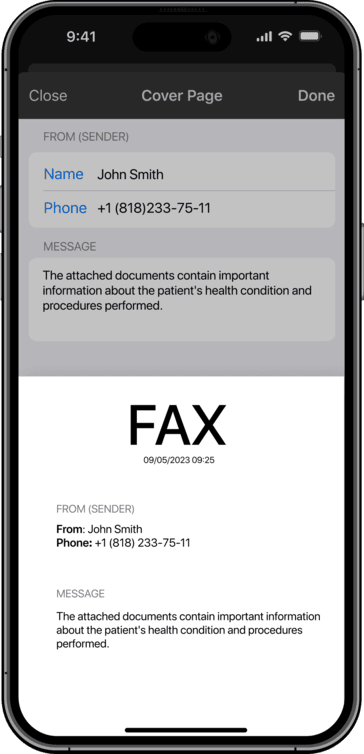
On features, iFax brings more than any other service on this list: custom cover pages, scheduled faxes, AI support, smart templates, document annotation and signing, automation, and a color-coded dashboard for fax management. If you’re serious about faxing and don’t mind spending more, iFax has more to offer than its competition.

ifax dashboard and inbox button screenshot

iFax does not include an unlimited faxing option, unlike the two services above. It also has a quality system where users spend more pages (you get a fixed allowance per month) to upgrade a fax to HD or HD+ — paying more, in effect, to ensure higher quality. We tested this and it didn’t work very well: HD (2 credits per page) was by far the worst option, and HD+ (3 credits per page) wasn’t as good as the standard quality of competitors. The image below shows our test results across the three quality tiers.

ifax quality tiers comparison on a real fax

This leads to the value concern. iFax is expensive: to use email-to-fax, you have to subscribe to the highest individual plan available — the ‘Pro’ package at $39.99 per month — which still limits your pages. EveryFax and Fax App will give you fully unlimited worldwide faxing for less than this, representing a better deal for most Mac users.

There’s also a lot of upselling. The web menu shows you the full Pro functionality even when you’re not a Pro customer, and clicking on any ‘Pro only’ feature triggers an email — every single time. We hit multiple emails per minute while navigating the menu, which got old quickly.

emails sent

Customer support, however, is genuinely outstanding — you get what you pay for. iFax offers new customers a free video call to walk them through full usage, and a phone line and live chat are accessible to subscribers at any time. iFax is perhaps the best option on this list for support specifically.


4. Fax.Plus

Fax.Plus is another service Mac users can use to send faxes via web or email-to-fax. It also comes with an app available for Mac, but it isn’t verified for macOS, so you might experience performance issues if you go that route.

Fax.Plus has a fantastic range of features and subscriptions for all types of users, with slightly better basic-tier value than comparable services like iFax. However, some basic features are locked behind extra paywalls, so for a premium service that includes everything, you may find yourself paying more.


Why we love it

  • Good range of features
  • Above-average fax quality in our brochure test
  • Strong value at the lower-price end of the subscription range

What could be improved

  • Some basic features locked behind extra paywalls (signing, HIPAA tier)
  • Some advertised features don’t actually do anything in our testing

Fax.Plus is a Mac-friendly web faxing and email-to-fax service. It also has a downloadable Mac app, but as it’s not verified for macOS, we don’t recommend that route.

Fax.Plus has a strong feature set, second only to iFax on this list — scheduled fax, cloud storage integration, dedicated apps for signing and scanning, and an “optimise for image/text” toggle when you send. We tested the optimise toggle and found absolutely no difference between the resulting faxes, so that one’s a marketing feature more than a working one.

Where Fax.Plus beats iFax on value: email-to-fax is included in the very cheapest plan on Fax.Plus, while iFax locks it behind the top tier. Other Fax.Plus features are walled off, however — even the ‘Business’ package at almost $40 per month doesn’t include document signing, which costs extra via Sign.Plus. HIPAA compliance is only available on the $100-per-month plan, whereas competitors include it on basic plans.

For fax quality, Fax.Plus is above average — clear and readable, but not at the level of the top services. Comparing our test results to Municorn’s Fax App, the Fax App preserved more light and detail on the back of the couch and on the map; Fax.Plus is still solid against most of the rest.

two images of a faxed document by different online fax providers - municorn fax and fax plus. the municorn one is slightly better quality

Fax.Plus offers a free trial of up to 10 faxes before purchasing a subscription. Value is generally strongest at the lower price level — it’s a better choice than iFax for budget-conscious users and a great choice for Mac owners who don’t fax often. iFax does pull ahead on advanced features and including more services in higher-priced subscriptions.


5. Dropbox Fax

Dropbox Fax is ideal for Mac users already using Dropbox to store their files, offering a way to email-fax or web-fax those files from Mac or iPhone. It’s a budget-friendly option with easy editing and signing tools built into the web portal. The catches: fax quality is below average, customer support is a known weak point, and it lacks privacy protections like HIPAA.

Why we love it

  • Low-priced for casual users who don’t fax very often
  • Document editing and signing tools included in the base subscription
  • Free trial

What could be improved

  • Below-average fax quality
  • Bad reputation for customer support
  • No dedicated mobile app

Dropbox Fax (formerly HelloFax) is a built-in service for Dropbox, allowing users to send and receive faxes through their regular account at a small extra charge. For Mac users, this works over the web or via email-to-fax using the address registered to the account.

Fax quality is the first thing to flag — Dropbox Fax doesn’t match the dedicated services. Dropbox is first and foremost a document storage service, so the fax-quality drop is unsurprising. Compared to a top service like the Fax App, the difference in clarity and color shading is visible on the logo, the large photograph, and the map below — the Fax App captured far more detail.

municorn vs dropbox fax quality comparison

Dropbox Fax mitigates this by offering a high-resolution color option — the recipient is sent a link to access a higher-quality version of the scanned document on the Dropbox website. It’s a workaround, not a fix.

Customer support is the other concern: no live chat, barely any FAQs, and the only way to contact support is through a form on their website. The TrustPilot reviews on Dropbox Fax are very negative, which echoes our own experience.

That said, Dropbox Fax is genuinely easy to use on Mac for users already in the Dropbox ecosystem — particularly with the document editing and signing features included on every subscription level. Value overall is strong compared to iFax or Fax.Plus: 300 pages per month at $10/month, with email-to-fax and document signing included, is one of the better deals on this list.


6. eFax

eFax makes faxing from Mac possible via web browser or email-to-fax, and it offers mobile apps for iPhone and iPad. The interface resembles Gmail and is easy to use; fax quality is also strong. However, eFax doesn’t provide the best value on this list, and it’s quite bare in terms of features compared to others.


Why we love it

  • Strong fax quality in our brochure test
  • Simple, Gmail-like web interface
  • Has a ‘send large file’ option

What could be improved

  • Value could be better — limited pages at higher prices than competitors
  • Light on features compared to iFax or Fax.Plus
  • Often logs you out on Mac, which made our testing sessions frustrating

eFax is a longtime favorite online fax service for businesses and corporations, with specialised support for the healthcare and finance industries — but it also offers individual Mac users the ability to fax via web, email, or mobile app. Its enterprise pedigree is a real advantage on the quality and reliability axes.

efax create a new fax interface

The interface is intuitive and Gmail-like, which we found made everyday use comfortable. eFax includes basic features like signatures and contacts, plus email-to-fax as standard (unlike iFax). For advanced functionality and customer support, however, iFax and Municorn’s Fax App offer more.

Fax quality is among the best on this list, which we’d expect from a company that runs faxing services for Fortune 500 companies and operates a number of specialist faxing apps under its umbrella.

The value for individual users is the soft spot. The ‘Pro’ option only includes 150 pages per month and costs more than Fax.Plus’s 200 pages or Dropbox Fax’s 300 pages. Another small but persistent annoyance: eFax constantly logs you out on the website, which made our testing sessions far more friction-heavy than they needed to be.


7. GotFreeFax

GotFreeFax is the only completely free service on this list — useful for one-off faxes when you genuinely don’t want to pay anything. The trade-offs are significant: poor fax quality, severe page limits (2 faxes per day, 3 pages each, US/Canada only), and no clear security posture for sensitive documents.

The fax quality is much worse than any paid service we tested — our brochure lost most of its detail, the map became unreadable, and the icon next to the phone number disappeared entirely. For anything important, sensitive, or visually complex, this isn’t a viable option.

If you’re specifically looking for free fax options, our free fax services review covers the full landscape, including GotFreeFax alongside FaxZero and others, with quality tests and security caveats for each. For most Mac users on this Mac-specific list, one of the paid services above will deliver dramatically better quality and security at a low monthly cost.


The Verdict: Which Mac Fax Service Should You Pick?

For most Mac users, Municorn’s Fax App is the right pick — it’s the only service we tested that combines a native Mac experience, top-tier fax quality, truly unlimited international faxing, and full HIPAA compliance at a price that doesn’t punish you for sending more than 200 pages.

If you’d rather work in a browser or your email inbox, EveryFax is the close runner-up — same quality, same value tier, just delivered through the web rather than a native app. iFax is the right pick if you need the most advanced features and best customer support, and budget isn’t the limiting factor. Fax.Plus works for budget-conscious infrequent senders. Dropbox Fax makes sense only if you’re already deep in the Dropbox ecosystem. eFax is a credible choice for users who specifically value its enterprise pedigree and don’t mind paying for it. And GotFreeFax is for one-off freebies and nothing else.

Once you’ve picked a service, our how to fax on Mac guide walks through the actual setup steps for each method — from the iPhone Mirroring workflow to the multifunction printer route. For HIPAA-specific evaluation across more services, see our HIPAA compliant fax service rankings.

About Tamsin Gable

Head of PR at Municorn and a Forbes Communications Council member since 2025. Tamsin covers fax technology, secure document workflows, and how regulated industries handle sensitive communications.