
Table of Contents
Quick answer: To find someone else’s fax number, check their website or letterhead or simply ask them — there is no reliable free reverse directory for fax numbers. To find your own, send a one-page test fax to any phone with caller ID and read the number that shows up, or open your account if you fax online.
“What’s the fax number?’’ splits into two very different jobs: finding a number that belongs to someone else, and reading off your own. A fax number is just a phone number used for faxing, so the same rules apply — but neither task works quite like looking up a phone number in a directory. Here’s how to do both.
How to find someone else’s fax number
Fax numbers are published far less consistently than phone numbers, and there’s no universal fax phone book. But between the recipient, their website and a couple of directories, you can track down almost any number. Work down this list in order — the earlier options are the fastest and most reliable:
- Ask them directly. The quickest, most reliable route by a distance. Call the main line or email and ask for the fax number — and the specific department if it’s a large organization, since hospitals, banks and agencies often run separate fax lines for billing, admissions, records and HR.
- Check their website. Look on the Contact Us page first, then the footer. Larger sites often list a fax number per location or per department rather than one central number.
- Search for them by name. Type the organization’s name followed by “fax number” — for a local business, add the city or ZIP. Google often surfaces it in the Business Profile panel on the right of the results, so you may not need to click through.
- Try a business directory. Yellow Pages, Whitepages, Yelp and the BBB sometimes list a fax number next to the phone number. Coverage is patchy — fax is listed far less often than phone — so treat these as a fallback, not a first stop.
- For a doctor or hospital, use the NPI Registry. The free NPI Registry from CMS lets you search almost any US healthcare provider by name or location, and many records list the practice phone and fax number.
- Check anything they’ve already sent you. Letterheads, invoices and business cards frequently print the fax number, and any fax you’ve received shows the sender’s number in the header line across the top of the page.
For the organizations people look up most often — the IRS, government agencies like the VA, healthcare — here’s where to get the current number directly.
Most-requested fax numbers
The organizations searched for most, and where to get the current number. The IRS, FEMA and PSLF numbers below are verified against official sources; for the rest, confirm on the organization’s own site before you send.
| Who you’re faxing | Fax number | Where to confirm |
|---|---|---|
| IRS — EIN application (Form SS-4) | 855-641-6935 (50 states & DC) | Our SS-4 guide |
| IRS — Power of attorney (Form 2848) | Routes by state | Our 2848 guide |
| IRS — Tax transcripts (Form 4506-T) | Routes by state | Our 4506-T guide |
| IRS — Refund trace (Form 3911) | Routes by state | Our 3911 guide |
| IRS — any other form | Depends on the form | IRS fax numbers by form |
| Social Security (SSA) | No national fax; your local field office | SSA’s office locator on ssa.gov; our Social Security guide |
| Medicare Part B enrollment (CMS-40B, CMS-L564) | Your local Social Security office | Our Medicare Part B guide |
| FEMA — disaster assistance documents and appeals | 1-800-827-8112 | Our FEMA guide |
| Your US senator or representative | Set per office; not every office takes faxes | The member’s own website; our guide to faxing Congress |
| Student loans — PSLF form | 540-212-2415 (U.S. Department of Education) | Our student loan guide |
| Student loans — your servicer | Set per servicer | Our student loan guide |
| A hospital’s medical records team | Usually published; set per hospital or region | The hospital’s medical records page. Our guides: Baylor Scott & White, Cedars-Sinai, Cleveland Clinic, Duke Health, Henry Ford Health, Intermountain Health, Kaiser Permanente, Mass General Brigham, Mayo Clinic, Tampa General, UCLA Health |
| A doctor’s office | Rarely published openly | The NPI Registry, or call the office |
| A life or disability insurer (claims) | Set per insurer and claim type | Our guides: Unum, MetLife, Lincoln Financial |
| A mortgage servicer (assistance, insurance, payoff) | Set per servicer | Our guides: Chase, Pennymac |
| TIAA (retirement withdrawals) | 800-914-8922 | Our TIAA guide |
| A pharmacy (CVS, Walgreens…) | Set per location | The chain’s store locator, or search “[name] fax [ZIP]” |
| A court or clerk’s office | Set per court | Your state court website |
| A bank or business | On their Contact page, if listed | The company’s website, or call and ask |
Confirm before you send. Fax numbers change, and a number in the right format is not proof it’s live. Send a short test fax first, and for any number not verified above, check it on the organization’s official site before faxing sensitive documents.
Can you do a reverse fax lookup?
Not in the way people hope. Because a fax line is an ordinary phone number, a reverse-phone service such as Whitepages, Spokeo or Truecaller can sometimes name the account behind a number — but there is no fax-specific directory, and those services identify the line, not whether it’s a fax at all. Public numbering data (the North American Numbering Plan) can tell you the region a number was assigned to, but not who owns it now, because numbers get ported and reassigned. In practice, reverse lookup is most useful for identifying junk-fax senders — and unsolicited fax adverts are illegal under the Telephone Consumer Protection Act, so you can report them to the FCC. If you’ve dialed a number and heard tones instead of a voice, that’s covered in what happens when you call a fax number.
How to find your own fax number
Your own number is the easier half. If you fax online it’s shown in your account; if you use a machine, it’s almost always the phone line the machine is connected to. Here are the exact ways to read it.
The fastest way: send a test fax
If you only need the answer once and don’t want to dig through menus, this takes under a minute:
- From your fax machine, send a one-page fax to a mobile or landline that has caller ID.
- Check the caller ID on the receiving phone — the number shown is your fax number.
- No second phone handy? Look at the header line printed across the top of any fax you’ve already sent. The sending fax number is usually printed there — see fax number formats if you’re unsure what you’re looking at.
On a fax machine or printer
Most machines store the number under a settings menu. Power the device on and check the display or control panel first — some models show the number on the home screen or as a greeting. If it isn’t there, open the menu and look for a section called Fax Settings, Fax Setup, or Station ID. The number is typically saved as Own Number, Fax Header, or Station ID. (New to the hardware? Our guide on how to use a fax machine walks through the basics.)
One catch: if the number was never entered when the machine was installed, these fields can be blank. In that case the fax number is simply the phone line plugged into the device — check the line itself, or use the test-fax method above.
The exact menu path varies by brand. Here’s where to look on the most common ones:
HP printers
Open the printer menu on the touchscreen or control panel and look under Setup → Fax Setup for the stored Station ID or header number. If it’s unset, the fax number is the phone line connected to the printer.
Brother printers
Look under Menu → Fax → Setup (or Station ID) for the saved number. Brother machines also print the sending number in the header of outgoing pages, so an already-sent fax will show it.
Canon printers
Check Device Settings or Fax Settings on the control panel for the stored fax number (sometimes labeled Sender ID). If nothing is saved, it’s the landline connected to the machine.
Epson printers
Open Settings → Fax Settings → Basic Settings and look for the header or Your Phone Number field. As with the others, an unset field means the number is just the connected phone line.
In an online fax service or app
If you fax from an app or web service, there’s nothing to hunt for — your number is shown in your account at all times. In Municorn Fax, for example, it sits at the top of the app interface, on every device. For accounts with more than one line, each number is listed in the account details, with the main sending number marked separately from receiving numbers.
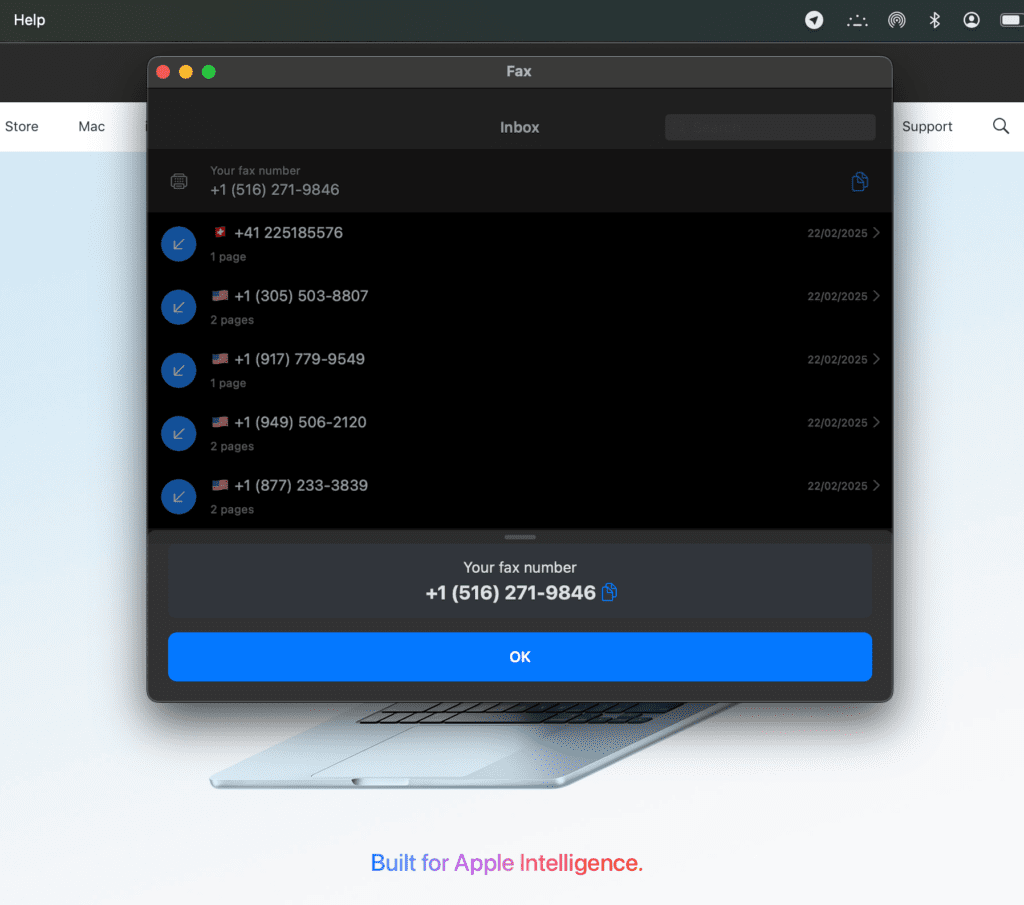
This is the practical advantage of online faxing: the number never goes missing, you can read it from any device, and you don’t need to power up a machine to check it. If you’re setting up faxing from scratch, an online number is the simplest to keep track of — here’s how to get a fax number online, and how to fax from your computer once you have one.