
Table of Contents
Quick answer: Yes. You can send a fax straight from your normal email — no fax machine, no phone line. The one thing you need is an email-to-fax service like EveryFax to sit between your inbox and the fax network. Sign up, then address an email to the fax number plus your gateway domain (for example, 12133922443@send.everyfax.com), attach your document, and send. It lands as an ordinary fax at the other end.
If someone has ever asked you to “just fax it over” and you felt a small wave of dread — no machine, no landline, no idea where the nearest one even is — here is the good news. Your inbox can do it. You almost certainly have everything you need already; the only missing piece is a service that bridges email and the fax network.
Yes — but you need one thing first
Your email account can’t fax on its own. Gmail, Outlook, and Yahoo have never had a built-in fax button, and they never will. What does the actual work is an email-to-fax service: you sign up, it hands you your own fax number and a gateway address, and from then on “sending a fax” just means sending an email.
The neat part is that the person on the other end has no idea. An ordinary fax lands on their machine and prints as usual — they can’t tell it started life in your drafts folder. To get going you need only three things: an email account you already have, a subscription to a service like EveryFax, and the recipient’s fax number.
It all comes down to the address
Here is the one thing people get wrong, and the only thing you need to learn: the recipient’s fax number goes in the To field, dressed up as an email address. With EveryFax, you take the fax number, tack the gateway domain on the end, and that is your recipient — so a US number becomes 12133922443@send.everyfax.com. The leading 1 is the country code, then the area code, then the number, then @send.everyfax.com.
Once that address is right, the rest is just writing an email:
- Sign up with EveryFax and pick your own fax number.
- Compose a new email and put the fax number plus @send.everyfax.com in the To field.
- Attach your document, and type any note in the body — that becomes your cover page.
- Hit send. A minute or two later a delivery confirmation lands back in your inbox.
It works exactly the same from any inbox — Gmail, Outlook, Yahoo, iCloud, a work address — because you are only ever sending a normal email; just the domain on the end stays put. If Gmail is your daily driver, our Gmail guide shows it with screenshots, and the full send walkthrough covers every provider.
The number format is where faxes fail. Use digits only, with the country code in front — 12133922443 works, but (213) 555-1234 with brackets and dashes will not. No plus sign, no spaces.
What happens after you hit send
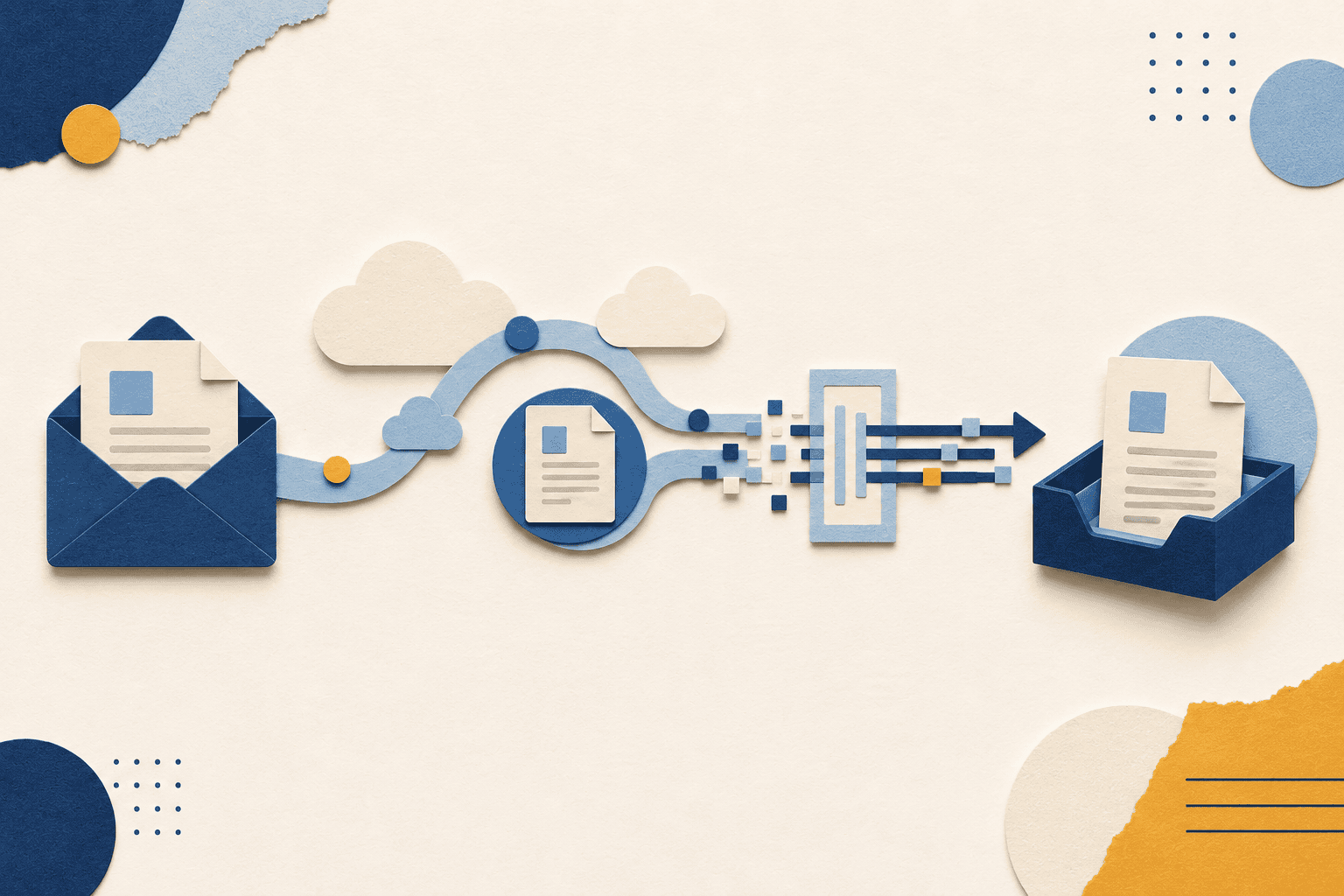
You’ve written a normal email; the service handles the fax part. It catches your message, checks your address is on the allowed-senders list, and turns the attachment into a flat fax image. Then it dials the recipient’s number over the fax network — retrying on its own if the line’s busy — and pushes the pages through. When they land, you get a receipt by email with the time and page count, your proof it arrived. Start to finish, it’s usually a minute or two.
Which files fax cleanly (and which don’t)
Fax is old technology, and it still thinks in flat, black-and-white pages. Most everyday files convert fine; a few bounce straight back. Here is what to expect before you attach anything important:
| File type | Faxes cleanly? | Notes |
|---|---|---|
| Best choice | Lands looking exactly as you sent it — fonts, margins, page breaks intact. | |
| Word (DOC, DOCX) | Yes | Usually fine; save as PDF first if you lean on unusual fonts. |
| JPG, PNG | Yes | Good for a single scanned page; sharpness depends on the resolution. |
| TIFF | Yes | The original fax image format — about as compatible as it gets. |
| Excel (XLS, XLSX) | Convert first | Columns tend to shift on the way through; export to PDF before sending. |
| Password-protected files | No | The service can’t open an encrypted file to convert it. |
| ZIP, RAR archives | No | Compressed archives aren’t supported. |
When in doubt, save it as a PDF first. It’s the one format that always arrives looking the way you meant it to.
The sensitive-documents question
Nobody faxes birthday cards. If you are reaching for fax at all, it’s usually because the document is the sort you’d rather not leave sitting in an inbox — medical records, a signed contract, tax paperwork, an insurance claim. So the real question isn’t “is email-to-fax secure” in the abstract; it’s “is it safe for this”.
The answer depends on the service, not on your email. A serious provider encrypts your faxes in transit and at rest and will sign a Business Associate Agreement (BAA) if you handle health data. EveryFax is HIPAA compliant, which is exactly why we’d steer healthcare, legal, and financial users its way. What we wouldn’t do is hand a free, ad-supported gateway anything sensitive — those rarely encrypt and can’t sign a BAA. If security is the whole reason you’re faxing, it’s worth reading how fax stacks up against plain email and what actually makes online fax secure.
Getting faxes back the same way
The bridge runs both directions. Your fax number is a real number, so anyone can send to it — and when they do, the fax arrives in your inbox as a PDF instead of on paper. Worth keeping the two straight: sending from your inbox is email-to-fax, while having faxes delivered to your inbox is fax-to-email. Most services do both, set up separately — our guide to receiving a fax by email covers the inbound half.
Should you bother with an app instead?
Email-to-fax is brilliant when you’re at a desk with a PDF ready to go. It’s less brilliant when you’re out and about, or when the thing you need to send is a paper document sitting on the table in front of you. So it’s worth being honest about the split:
- Stick with email-to-fax (EveryFax) if you live in your inbox, your documents are already digital, and you fax now and then. There’s nothing to install — you use the email app you already have.
- Reach for the Municorn Fax app if you fax often, work mostly from a phone, or need to photograph a paper document and send it on the spot. The camera scan and live status tracking are the things email can’t easily match.
Both are HIPAA compliant and part of the same family, so you’re not really choosing between companies — just between two doors into the same house.
Frequently Asked Questions
Does the person receiving it need to do anything?
How long does faxing through email take?
Can you fax abroad through email?
What if the fax doesn’t go through?
Do you get a cover page?
Is there a genuinely free way to do this?
More Email-to-Fax Guides
Send a fax from email
The full step-by-step walkthrough with the EveryFax address format.
Fax from Gmail
The Gmail-specific version, with screenshots for each step.
Receive a fax by email
Route inbound faxes straight to your inbox as PDFs.
HIPAA-compliant faxing
What makes email-to-fax safe for medical and legal documents.
International faxing
Country codes and formats for faxing abroad.
Fax vs. email security
When fax is the safer choice, and when email is fine.