
Table of Contents
Quick answer: To fax internationally you add a country code to the number — dial + (or your country’s exit code), then the destination country code, then the local fax number with its leading zero removed. You can send from a fax machine or online. Cost is the real difference: a walk-in store or pay-per-page service charges a premium for every international page, while a flat subscription like Municorn Fax ($9.99/week) includes international faxing at no extra charge.
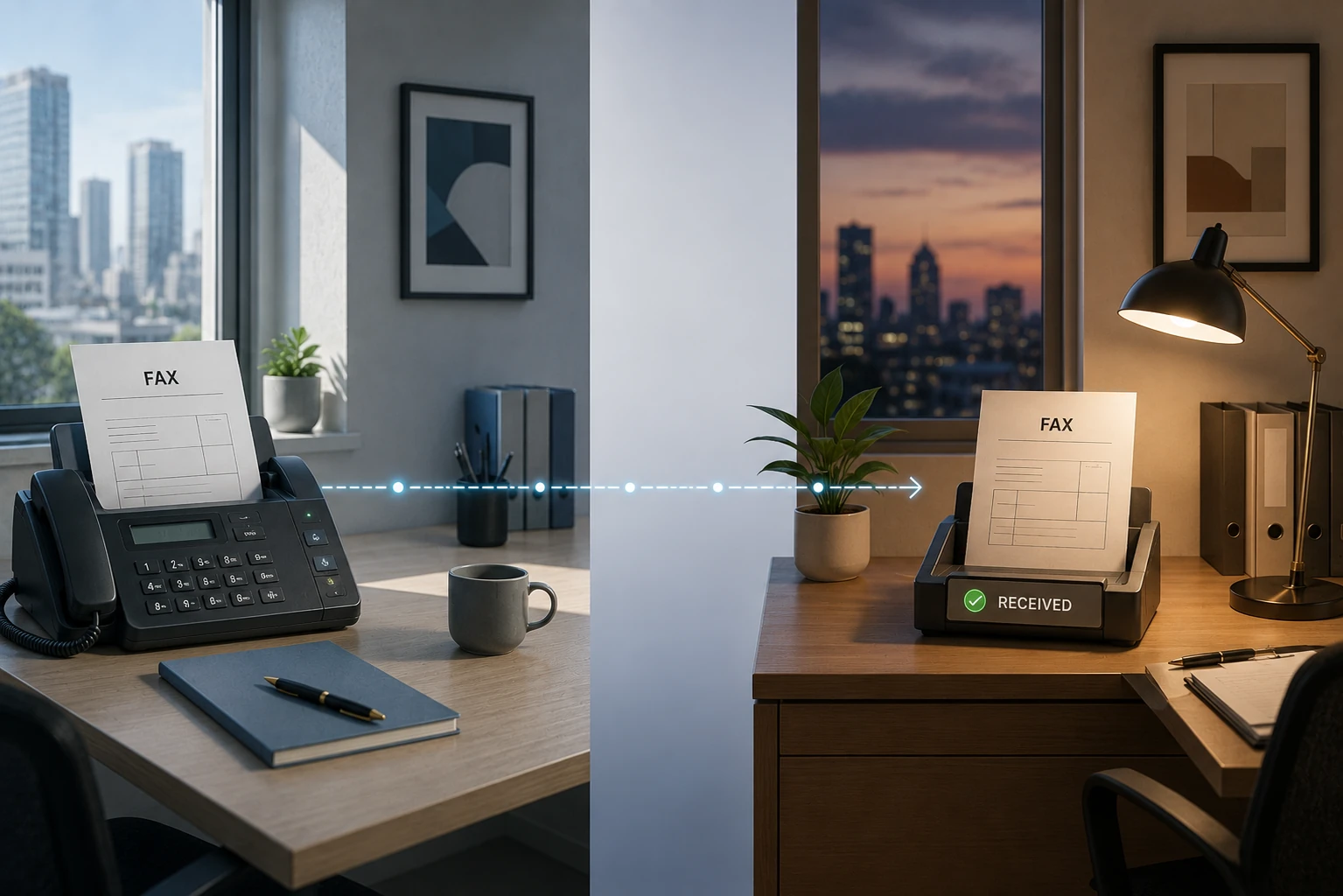
International faxing is one of the most secure and time-tested ways to instantly send documents across borders. It’s a simple process with a few key differences to traditional faxing — chiefly that it’s more expensive and more complicated. Online faxing, though, makes it easier and cheaper than ever.
Local, National and International Fax — What’s the Difference?
Difference #1 — The Price
If you go into your nearest UPS or Staples store and look at the options to send faxes, you’ll probably see them priced in three tiers:
- Local fax — cheapest
- National fax — more expensive
- International fax — most expensive
Cost estimator
How much will my international fax cost?
Select a destination country and page count to compare walk-in store rates against a flat online subscription.
Store prices are typical US walk-in rates for international faxes. Rates may vary by location and are subject to change. Online fax rate of $9.99/week based on typical flat-rate subscriptions including Municorn Fax, which includes international faxing at no extra charge.
It makes sense that with traditional fax machines it’s always been cheaper to send to local numbers — the transmission makes a much shorter trip over the phone line. For national faxes, long-distance fees kick in and make it a little more expensive. But sending an international fax by machine costs much more — up to three times as much. For a lot of businesses and people that’s off-putting, which is exactly where the right online fax service brings the cost down.
Most online fax services charge extra for international faxing, but Municorn Fax, for example, has no extra charges for it.
Difference #2 — Using an International Fax Number
This is where you have to do something slightly different. Instead of just dialing the recipient’s fax number, you include an international dialing code — also known as a country code — before it. Here’s an example:
- Original fax number: 212-123-4567 (212 is a New York area code, so dialing this works anywhere inside the USA).
- International fax number: +1 212-123-4567 (we’ve added +1, the USA’s international country code). Canada uses +1 as well, so a fax between the two countries isn’t international at all — our comparison of online fax services in Canada covers that setup.
Use the formatter below to get the correct international format for any country — enter the local number and select where you’re dialing to. Singapore is an easy one to get wrong, because it has no area codes at all; our guide to faxing in Singapore walks through it.
Fax number formatter
International fax number formatter
Enter a local fax number, choose the country you are dialing to, and get the correctly formatted international number.
Formatted number
Enter a fax number above to see the formatted result.
Leading zeros are automatically removed from local numbers – most countries require this for international dialing. The + format is recommended for online fax services as it works regardless of which country you are sending from. Always confirm the number with your recipient before sending.
It’s pretty simple, right? Almost — there’s one more slight complication. See that + in the international fax number? Dialing ‘+‘ before any telephone or fax number is the universal symbol for an exit code — it tells your phone or fax company the transmission is going to another country. When you send an international fax you have two choices before the recipient’s country code: use the ‘+‘, or type your own country’s exit code instead. Hong Kong is one place where it matters which you pick: landlines there use 002, not the 001 voice code, for faxes abroad, as our Hong Kong fax guide explains.
So if I were in France and faxing the same number as above, I could use either France’s exit code or a ‘+’, then the fax number. If France’s exit code is 00 and the USA’s country code is 1, that looks like this (both work):
- +1 212-123-4567
- 00 1 212-123-4567
How to Send an International Fax
Method #1 — The Old-Fashioned Way: Using a Fax Machine
To send an international fax using a fax machine, follow these steps:
-
Load the documents
Load the machine’s paper feeder with the documents you want to send, including a cover page.
-
Dial the exit code
Dial a ‘+’ or the exit code of the country you are faxing from (not all fax machines have a ‘+’ button).
-
Add the country code and number
Dial the country code of your destination country, then the full fax number of your recipient, including any local area code.
-
Send
Press send, and wait for your transmission receipt to confirm a successful delivery!
There are a few things worth checking before you start sending international faxes, especially from your own machine at home. First, it’s a good idea to call your telephone company and ask what the charges will be. It can cost a lot to send or receive international faxes, and the fees climb depending on where in the world they’re going. You don’t want a surprise bill.
Second, you may want to check the privacy and security laws of the country you’re faxing to, which vary. In the USA, HIPAA means sensitive information is very secure when faxed — part of why faxing is still so popular — but if you’re sending healthcare or financial information overseas, it’s worth checking how your data will be handled at the other end.
Method #2 — Send International Faxes Online
An increasingly popular way to fax internationally is an online fax service. The process is much the same, except there’s no clunky machine — you use your phone, computer or email account instead. Here’s how it works:
-
Prepare and attach your documents
From the ‘New Fax’ page, prepare and attach your documents by scanning them with Municorn Fax (or uploading from the cloud or your device).
-
Pick the destination country
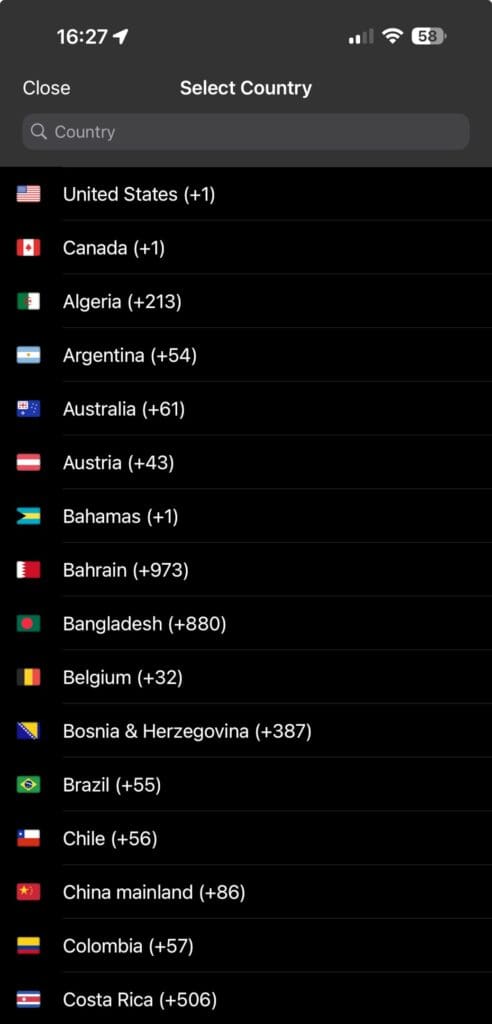
Click the country flag in the ‘Send to’ section and select any destination country — every country code is already in the app, so there’s nothing to research yourself.
-
Enter the recipient’s number
Type in the ordinary fax number of your international recipient. Municorn Fax converts it into an international number for you.
-
Send
Hit send, and the app does the rest. It sends a notification after a minute or so to confirm the fax delivered correctly.
Fax Machine vs Online Fax Service — Which Is Better for International Faxing?
For over 50 years traditional faxing has been a preferred way for businesses and their customers to send and receive documents, thanks to the extra security a fax transmission carries even next to email.
But the way we fax has changed a lot over the past decade, and many people now use an online service instead. Here’s where online wins.
Price
Traditional faxing means phone-line costs, maintenance, ink and paper — basically, lots of costs! Online, your existing device does everything a fax machine can, for much less. Most online services still charge extra for international, though, especially pay-per-page plans. Municorn Fax’s basic subscription ($9.99/week) includes international faxing at no extra charge, so there’s no per-page surcharge for sending abroad.
Convenience
International faxing is easier online, for people and businesses alike. You can use a computer, phone or any device with cloud-based faxing, so you can send from anywhere — another country, or stuck in an airport lounge — without your fax machine. You can also link it to your cloud storage and email accounts.
Security
Online faxes still ride the secure fax infrastructure, and newer features add extra layers on top. Even the basic Municorn Fax subscription includes full HIPAA compliance and end-to-end encryption — something top email services like Gmail and Outlook do not provide. You can send sensitive documents across the world knowing they’re protected.
The environment
Faxing online means less paper, fewer devices and less ink — and so less harm to the environment. It’s the eco-friendly way to send documents anywhere in the world, without compromising on security.
The Best Way to Fax Internationally
To send and receive faxes internationally, an online fax service is the way to go. Just remember that most providers charge more for international faxing, and some cap the pages you can send before extra charges kick in.
To save money and get the best of it, Municorn Fax is the answer: a flexible subscription where even the basic plan ($9.99/week) includes international faxing at no extra charge, with strong security built in. It’s the highest-reviewed fax app on Apple’s store (4.8★, 18M+ downloads), which makes it an easy pick for anyone sending faxes around the world.
For country-specific guidance, see our guides to faxing in the UAE and Israel. If you ever need advice on international faxing, message the Municorn team from inside the app and they’ll be happy to help.