
Table of Contents
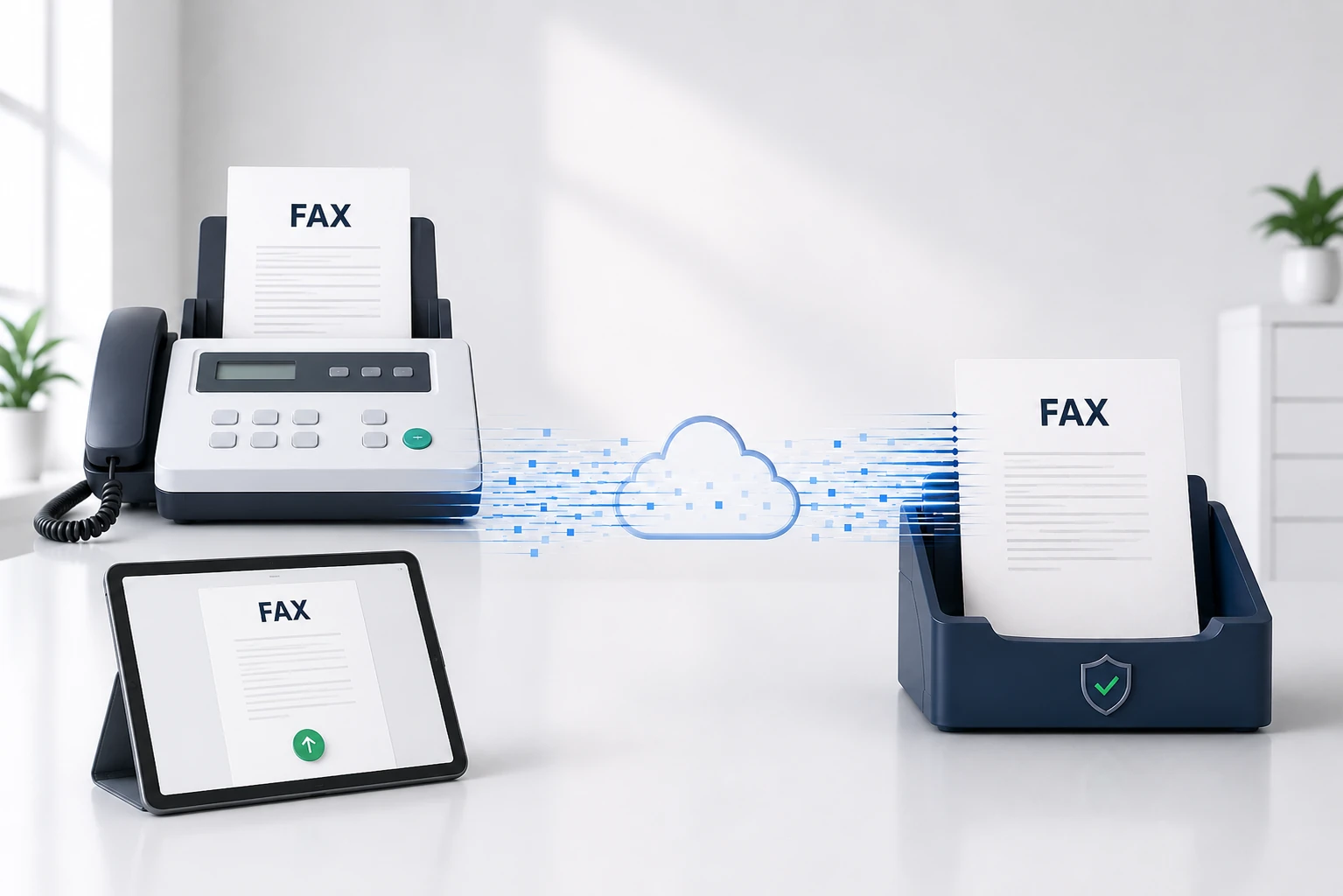
Quick answer: A fax (short for facsimile) is a way to send a document over phone lines — a machine scans the page, converts it to audio tones, transmits them, and the receiving machine decodes them and prints a copy. Invented in 1843, faxing is still everywhere in healthcare, law, finance and government because it’s secure, legally recognized, and familiar. Today online fax services like Municorn Fax do the same thing from a phone or computer, with no machine needed.
Facsimile technology has been around for decades, but many people still wonder what it’s all about. At its core, a fax is a way to send documents over phone lines. Fax machines scan printed materials and transmit them to other fax devices, which then print out copies. It’s like sending a photo of a document, but with special equipment.
You might think faxing is outdated, but it’s still used across many industries. Doctors’ offices, legal firms, and government agencies rely on faxes for secure document sharing, because a fax is seen as more secure and official than email in many cases.
Faxing has changed with the times, though. You can now send faxes without a bulky machine: online faxing services let you send and receive faxes from your computer or phone — faster, cheaper, and more convenient than traditional faxing. Municorn Fax offers this modern take on an old technology, making it easy to fax from anywhere.
Historical Evolution of the Fax
Fax has a longer history than most people expect — nearly two centuries.
Invention and Early Developments
The fax machine’s story begins in 1843 with Alexander Bain’s “Electric Printing Telegraph”. Bain’s invention could send images over wires, laying the groundwork for the facsimile machine and modern faxing. In the following decades, inventors improved on the idea, building machines that sent more detailed images faster, and by the early 1900s newspapers were using fax-like devices to send photos. These early machines were big and slow — often hours per page — but they proved the potential of the technology.
Rise of the Magnafax Telecopier
The 1960s saw a big leap when Xerox introduced the Magnafax Telecopier in 1966. It could send a letter-sized document in about six minutes — fast for its time — and it was smaller and easier to use than older machines. Businesses adopted it quickly, and fax machines soon became common in offices around the world.
Transition to Digital Faxing
In the 1980s, fax took another big step forward: new machines could send a page in seconds, not minutes, using digital technology to improve speed and quality. Laser technology made faxes clearer, and Group 3 machines became the global standard, able to work with fax machines anywhere. Today, online fax services like Municorn Fax carry that lineage into the digital age — fast, easy, and paper-free.
How Fax Works
Fax machines send documents over phone lines by scanning an image, converting it to signals, and transmitting that data between devices. The receiving machine decodes the signals and prints the document.
Core Technology
Fax machines work by scanning documents line by line, using a sensor called a CCD (charge-coupled device) to read the image in black and white. The machine turns that scan into digital data representing the dark and light areas of the page — essentially a map of where the ink is. Once scanned, it connects to another fax machine, which converts the signals back into an image on the other end.
Telephonic Transmission
Fax machines use regular telephone lines. When you enter a fax number, you’re dialing a phone number, and the sending machine calls the receiving one. Once connected, the two machines exchange tones to signal they’re ready. The sending machine then converts the digital data into audio tones that travel over the line just like a voice call, and the receiving machine listens for those tones and decodes them back into an image.
Fax Modem and Signal Processing
The fax modem does the core work, turning digital data into audio signals and back again. Modern modems pack more data into the signal by adjusting the tone and timing of the audio, which is why newer machines are faster than old ones. Signal processing cleans up the transmission, reducing noise and correcting errors so the received fax looks as close to the original as possible.
Types of Fax Machines and Services
There are three broad ways to fax today: traditional machines, online services, and integrated office systems.
Traditional Fax Machines
Traditional fax machines scan physical documents and send them over phone lines. They come in a few types:
- Thermal — use heat-sensitive paper; cheap, but the prints fade over time.
- Inkjet — work like a regular inkjet printer; offer color but can be costly to maintain.
- Laser — high-quality prints, fast and efficient for high-volume faxing.
Traditional machines need a dedicated phone line. They’re still used in many offices, especially for legal documents, but modern options offer more.
Online Fax Services
Online fax services let you send and receive faxes without a physical machine. You upload a document to a website or app, the service converts it to fax format, and it sends the fax over digital networks to the recipient. Services like Municorn Fax don’t need special hardware — you can fax from just a computer or smartphone — which makes them ideal for mobile workers and small businesses. They often add cloud storage for faxed documents, email integration, and electronic signatures.
Integrated Fax Systems
Integrated fax systems combine fax with other office equipment, which suits businesses that want multiple functions in one device — all-in-one printers with fax functions, multifunction devices that print, scan, copy and fax, and computer fax servers for large organizations. These send faxes directly from computers, often on plain paper for better quality and easier filing, and they save both space and money for offices that still need fax but don’t want separate machines.
Why Is Faxing Still a Thing?
Faxing persists because whole industries are built around its security, legal standing, and familiarity. A few sectors where it’s still a daily tool:
Healthcare
Up to 70% of providers still fax. HIPAA requires patient information to be kept secure, and fax reliably sends medical records, prescriptions and insurance claims without compromising privacy.
Real estate
Deals involve stacks of documents that need signing — contracts, leases, listings. Fax is a quick, legally binding way to send them, especially for time-sensitive offers.
Government & law
Courts still accept, and sometimes require, faxed filings. Lawyers value the clear record of when a document was sent and received for meeting deadlines.
Finance & banking
Banks often require faxed IDs, loan applications, checks and financial documents, driven by regulatory rules and the need for secure transmission.
International trade & logistics
Shipping documents, customs forms and international contracts are often faxed — especially where digital infrastructure is limited or fax is simply the preferred channel.
The common threads are regulation, security, and legal weight. Regulatory requirements often mandate fax for secure document transmission; fax is considered harder to intercept than email; and faxed signatures are widely accepted as legally binding. Culture plays a role too — the vast majority of businesses in Japan still use faxes, and anyone doing business there tends to follow suit.
Many of these businesses now use digital faxing, which combines the familiarity and legal acceptance of fax with the convenience of software. And faxing shows little sign of disappearing: ReportLinker projected the fax services market to grow around 11% a year from 2022 to 2027. As long as industries value security, legal recognition and familiarity, fax stays part of the business world.
Sending and Receiving Faxes
There are several ways to send and receive faxes, from traditional machines to modern digital options. Each has its own dedicated guide — here’s the short version of each.
Using a Fax Machine
With a traditional machine you put the document in the feeder, dial the recipient’s fax number, and press send; the machine scans the paper and transmits it, and another machine prints a copy at the other end. Receiving is even simpler — the machine answers incoming calls and prints automatically, as long as it has paper and ink. The downsides are the paper, ink, and dedicated phone line. For the full walkthrough, see our guide on how to use a fax machine.
Online Faxing Methods
Online faxing skips the machine entirely: sign up for a service, upload your document, enter the recipient’s fax number, and click send. The service converts your file and delivers it to the recipient’s fax machine. Receiving is just as simple — the service gives you a fax number, and incoming faxes arrive as an email attachment or in your account. You can send and receive faxes from anywhere with an internet connection, usually for less than a fax machine costs.
Faxing with Mobile Apps
Fax apps bring faxing to your smartphone: download a fax app, take a picture or scan of your document, enter the fax number, and tap send. The app converts your photo or scan into fax format and sends it off. For incoming faxes it gives you a dedicated fax number, and faxes arrive as a PDF in the app. You can also combine multiple documents into one fax and preview before sending, which suits both occasional and frequent use.
The Fax Number
Fax numbers work like phone numbers, but for fax machines or online fax services. Here’s how to get one and the types available.
Obtaining a Fax Number
Getting a fax number is easy now. Traditional machines use a regular phone line, but many people get a fax number from an online fax service, which gives you a virtual number. Your options are to contact your phone company, sign up for an online fax service, or use a VoIP provider.
Toll-Free and Local Numbers
Fax numbers come in two main types. Local fax numbers have a specific area code (for example, (202) 555-1234) and suit businesses serving a certain region, helping them look established there. Toll-free numbers start with 800, 888 or similar prefixes (for example, 1-800-123-4567) and are free for the sender — great for customer service, since people can fax in without long-distance charges.
Secure Communication via Fax
Fax offers strong security for sensitive documents, with confidentiality built into how it transmits and encryption to protect information in transit.
Confidentiality in Faxing
Faxing offers a high level of confidentiality. Unlike email, faxes use point-to-point connections, which makes them less vulnerable to interception and reduces the risk of unauthorised access. A traditional fax also requires physical access to retrieve the printed document, adding a layer of security — which is why many businesses still prefer fax for contracts or medical records. Some services add password protection so only the intended recipient can view the document.
Encryption and Security Measures
Modern online fax uses strong encryption — many services apply 256-bit encryption, scrambling the content so it’s unreadable to anyone who intercepts it. Some process the fax multiple times with a 256-bit key, so only the intended recipient can access the document. For industries handling sensitive data, this matters: HIPAA regulations require secure faxing for medical records, and many services offer HIPAA-compliant options to meet those standards.
Advantages of Online Fax Services
Online fax services offer real benefits over traditional faxing: they cut costs, work with email, and let you fax from your phone.
Cost-Effectiveness and No Hardware
Online faxing cuts costs in obvious ways: no fax machine to buy, no paper or ink, and no phone line to set up. Many services have low monthly fees, and some services let you send a few faxes free each day — Municorn Fax, for example, lets you send a free test fax before you subscribe. For busier offices, a paid plan often costs less than running a fax machine, and there’s no bulky hardware taking up space — just your computer or phone.
Integration with Email and Cloud Storage
Online faxing works well with email and cloud storage — you can send and receive faxes right from your inbox, without waiting by a machine. Many apps connect to cloud storage too, so you can fax files from Dropbox or Google Drive in a click. Faxes are stored digitally, so old ones are easy to search for instead of digging through paper. Some services even integrate with office tools like Microsoft 365.
Mobile Faxing Capabilities
Faxing from your phone is a real convenience, and most online fax services have mobile apps, so you can send from anywhere with internet. Municorn Fax makes it simple: snap a photo or use the built-in scanner and fax it right away, and view incoming faxes on your phone. It’s ideal for people who travel or work from home — mobile faxing keeps things moving even when you’re away from a desk.